Crawlee para web scraping en 2026: casos prácticos, instrucciones y comparación
Contenido del artículo
- Introduction: what problem does crawlee solve and why is it important in 2026
- Crawlee overview: key features that provide an advantage
- Scenario 1. seo analytics and serp monitoring: snippets, paa, and local listings
- Scenario 2. monitoring prices and inventory on marketplaces
- Scenario 3. social listening and reviews: public pages, forums, q&a
- Scenario 4. b2b lead generation and data enrichment: directories, registers, company websites
- Scenario 5. job aggregation and hr analytics: market, salaries, skills
- Scenario 6. real estate and classifieds: monitoring offers and prices
- Scenario 7. competitor content monitoring and media analytics
- Crawlee technical fundamentals that speed up implementation
- Combinations with other tools
- Common pitfalls and how to avoid them
- Comparison with alternatives: why crawlee outshines paid apis
- Faq: quick and to the point
- Conclusion: who crawlee is suitable for and how to get started
Introduction: What Problem Does Crawlee Solve and Why Is It Important in 2026
The web has become the main source of market signals: prices, stock levels, reviews, job postings, news, competitor content, and social trends. However, simply 'downloading a page and parsing it' is no longer enough. You face anti-bot filters, dynamic rendering, request limits, bans for suspicious activity, and the need to quickly scale the collection of millions of URLs without losing quality. In 2026, this is the standard reality for any data-driven business.
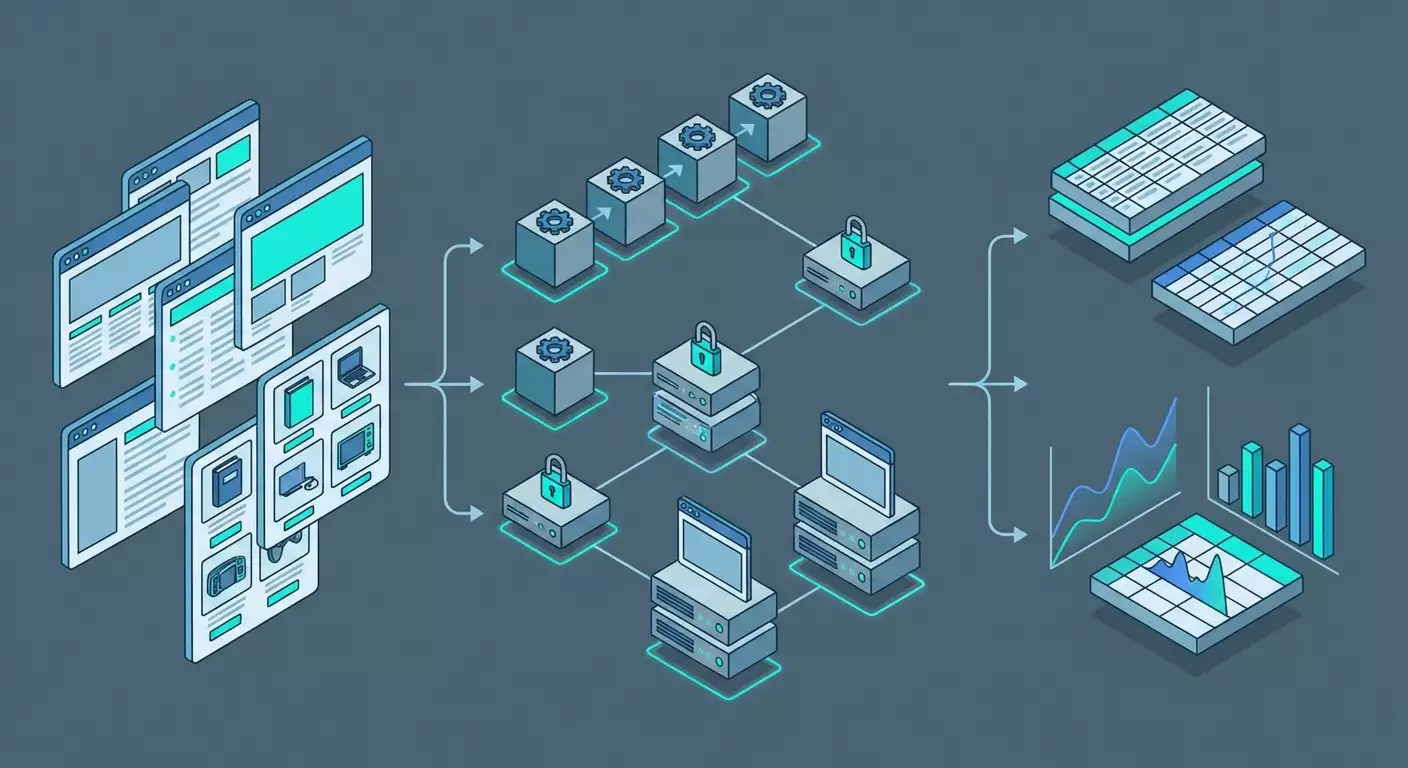
Crawlee is an open-source framework from Apify built in TypeScript/JavaScript that addresses key operational risks: proxy rotation, bypassing anti-bot protections through stealth modes, request queue management, automatic retries with exponential delays, stable exports in JSON/CSV/databases, and support for headless browsers and HTTP parsing. Essentially, it's an 'industrial-level constructor' for developing reliable parsers that enables developers, SEO specialists, and marketers to launch projects faster, cheaper, and safer.
Do you want to monitor prices and inventory on marketplaces, collect SERP data and People Also Ask, pull public reviews or job postings? Crawlee already includes building blocks for these tasks. Below is an overview and 7 practical scenarios: who benefits, how to set it up, what you get as a result, and what pitfalls may await you.
Crawlee Overview: Key Features That Provide an Advantage
Technology Stack and Engines
- PlaywrightCrawler and PuppeteerCrawler — for dynamic pages with rendering, simulating user actions, and bypassing anti-bots through stealth plugins, cookie management, and session pooling.
- CheerioCrawler — high-performance HTTP parsing where JavaScript is not required. Ideal for news sites, directories, static pages, XML and RSS.
- BasicCrawler — low-level queue and concurrency controller for tasks without HTML parsing or for an API-first approach.
Stability and Anti-Bot Bypass
- Proxy Rotation through ProxyConfiguration and built-in integration with providers, including mobile proxies. This is crucial for marketplaces, social networks, and some media.
- Stealth Modes that simulate a real browser: correct headers, WebGL/Canvas signatures, fonts, timings, and event disposition.
- SessionPool and cookie management to increase trust and reduce captcha frequency.
- Automatic retry with exponential backoff and strategies to mitigate issues. This reduces the impact of temporary failures and rate limiting.
Scaling and Flow Management
- RequestQueue and RequestList for managing URLs and deduplication.
- Auto-scaling concurrency based on CPU load metrics, memory, and network delays. Crawlee automatically selects the optimal level of concurrency.
- Persistent storages for queues, logs, snapshots, and datasets. Suitable for both local development and production environments.
Data Output and Integrations
- Export to JSON, CSV, NDJSON, as well as to databases through connectors and custom writers.
- Flexible serialization and schemas — organize a unified data model for different sources, consolidating results.
- Pipelines with Airflow, Prefect, n8n, dbt, ClickHouse, or BigQuery — through CLI and containerization.
License and Community
- Open-source, free, with 20k+ stars on GitHub. A vibrant ecosystem and fast updates. In 2026, it's one of the de facto standards in the JS/TS community for scraping.
The key idea: Crawlee empowers your team with ready-made solutions for complex areas — anti-bot protection, scaling, queues, resilience. You focus on extraction logic, not the wrapper.
Scenario 1. SEO Analytics and SERP Monitoring: Snippets, PAA, and Local Listings
Who It's For and Why
For SEO specialists, content marketers, and agencies needing regular checks of positions, snippets, People Also Ask, local packs, and SERP features. The goal is to see what Google or another search engine actually shows to users in a specific country, city, and on a particular device.
How to Use Crawlee
- Prepare a list of queries in RequestList: keywords, regions, languages.
- Enable proxy rotation with geo-targeting. For local listings, use residential or mobile proxies from the country and city that matter to you.
- Choose an engine: PlaywrightCrawler for rendering and loading PAA; CheerioCrawler if the output is static.
- Set up SessionPool and user agent mixes to reduce captcha risk.
- Parse structures: headers, URLs, snippets, PAA questions and answers, presence of sitelinks, FAQ or HowTo markup.
- Export to CSV/JSON and send it to your DWH or Google Sheets through a connector.
Example and Result
An agency tracked 2,500 queries in 10 regions. Switching to Crawlee with CheerioCrawler for basic SERP and PlaywrightCrawler for PAA provided stable processing for 97% of queries without manual intervention. In a month, they identified 38 'gap' snippets due to schema markup errors and secured FAQ blocks for 120 queries. Overall, this led to a 7.3% increase in CTR and a +14% traffic boost across the brand group.
Life Hacks and Best Practices
- Timing: simulate user behavior by adding random delays of 200–1200 ms between actions.
- Geo mode: use different proxy pools for different regions and track 'mobile' and 'desktop' user agents.
- Anti-duplicate: hash the output and track changes. Store only deltas — it’s cheaper and easier to analyze.
- Reducing captchas: increase session 'weight': retain cookies, simulate scrolling, don't immediately go high on concurrency.
Common Mistakes
- One proxy for all regions. Result — non-representative output and bans. Solution: residential/mobile proxies for each region.
- Ignoring PAA/People Also Search For. Loss of insights. Solution: PlaywrightCrawler with a separate pipeline.
- No data normalization. Difficult to compare. Solution: a unified SERP feature dictionary and standardized fields.
Scenario 2. Monitoring Prices and Inventory on Marketplaces
Who It's For and Why
For e-commerce managers, brands, distributors, and competitive intelligence. The goal is to see prices, stock levels, availability, discounts, positions in categories and listings; quickly react to underpricing or shortages.
How to Use Crawlee
- Map catalogs: categories, filters, pagination, product cards.
- Define the data model: SKU, name, price, old price, availability, rating, reviews, seller, position, date.
- Choose an engine: CheerioCrawler for static catalogs, PlaywrightCrawler for SPAs and lazy-loading.
- Set up RequestQueue with deduplication by SKU/URL and SessionPool, enable proxy rotation. For complex platforms — mobile proxies.
- Enable automatic retry and exponential backoff for 'noisy' pages and spikes in captchas.
- Post-processing: identify price anomalies, calculate stock-out rates, monitor position changes, alerts in Slack/email.
Example and Result
A brand monitored 18,400 SKUs across 5 marketplaces. They transitioned to Crawlee, dividing pipelines: CheerioCrawler for catalogs and PlaywrightCrawler solely for cards with dynamic blocks. Achieved stable 92–95% coverage with updates twice a day. Discovered 312 instances of 'gray' discounts and 1,120 discrepancies in RRP. Result — margin savings of ~2.4% and reaction time to anomalies reduced from 48 hours to 6 hours.
Life Hacks and Best Practices
- Time windows: run crawls during 'soft' hours when anti-bots are less aggressive.
- Separate queues for categories and product cards — different lifetimes and risks.
- Enrichment: fetch currency exchange rates and compare prices in one currency.
- Caching images: store hashes to detect when visual offers change.
Common Mistakes
- One crawler for everything. Better to modularize: catalog, card, reviews.
- Ignoring pagination and filters. Loss of assortment. Make a URL map with parameters.
- Absence of retry policies. Incomplete results. Include retries with backoff and a 'sandbox' for troublesome URLs.
Scenario 3. Social Listening and Reviews: Public Pages, Forums, Q&A
Who It's For and Why
For PR, marketing, support, and product teams. The goal is to quickly identify new user questions, negative trends, comparisons with competitors, and use cases. This improves NPS and reduces churn.
How to Use Crawlee
- Identify sources: public review pages, forums, blogs, Q&A. Follow platform terms of use and legal restrictions.
- Divide into types: static (CheerioCrawler) and dynamic (PlaywrightCrawler).
- Set up dictionaries for filtering: brand queries, product lines, errors, competitors.
- Implement deduplication by URL and content hash, track new messages with date/time.
- Add sentiment analysis: send text to your sentiment and topic analysis model (via a third-party service or local model).
- Alerts for spikes in negativity, new bug reports, or abnormally trending topics.
Example and Result
A fintech project monitored 36 public sources. Crawlee enabled stable retrieval of ~4,500 units of UGC per day with 89% accuracy in thematic categorization. SLA notification time was up to 30 minutes. Result: support response time to public negativity decreased from 12 hours to 1.5 hours; early detection of bugs in the Android app reduced churn by 0.6 percentage points over the quarter.
Life Hacks and Best Practices
- Follow legal norms: scrape only public pages, respect robots.txt, and platform terms.
- Geo-proxies for regional forums — otherwise access may be restricted.
- Sentiment mix: track proportions of negativity/positivity by topic, not just overall.
- Hashtags and mentions: highlight as separate fields for precise searching.
Common Mistakes
- Collecting everything indiscriminately. Drives up costs and deteriorates quality. Use dictionaries and filters.
- No deduplication. Plenty of duplicate messages and 'noise'. Create content hashes.
- No context. Store links to discussions, authors, and threads; otherwise you lose meaning.
Scenario 4. B2B Lead Generation and Data Enrichment: Directories, Registers, Company Websites
Who It's For and Why
For sales and growth teams in B2B. The goal is to gather information about companies, technologies listed on their site, contact forms, job pages, product structure; then enrich CRM and launch personalized outreach.
How to Use Crawlee
- Create a seed list: directories, industry registers, associations.
- Map company websites: main page, product pages, 'About Us', jobs, contacts.
- Extract structure: name, domain, technology stack characteristics, team size (through job postings), regions.
- Normalize data: unify company and domain formats, check for duplicates.
- Export to CRM and enrich through your email discovery and validation services (following legal constraints).
- Tag ICPs: industry, size, stack — to prioritize leads.
Example and Result
An outsourcing company gathered 12,700 domains from 6 industry directories and their own websites. Crawlee provided a stable speed of 90–120 URLs/min on CheerioCrawler and 15–25 URLs/min on PlaywrightCrawler for in-depth tech stack verification. They filled 18 required profile fields, reducing duplicate leads by 28% through domain hashes. Result: an increase in reply rate from 3.8% to 5.1% thanks to personalized outreach tailored to the client's actual stack.
Life Hacks and Best Practices
- Technology footprint: search for JS artifacts, meta tags, DOM attributes, headers. Create 'tech maps' of domains.
- Data contracts with sales: agree on the schema fields before launch, exclude 'junk' leads.
- Regular updates: set frequency to 30–45 days to keep data fresh.
Common Mistakes
- Too deep crawling without value. Limit depth and domain rules.
- No domain mapping with CRM. This leads to duplicates. Enforce strict keys and normalization.
Scenario 5. Job Aggregation and HR Analytics: Market, Salaries, Skills
Who It's For and Why
For recruiting, HR analysts, and educational platforms. The goal is to monitor job dynamics, salary ranges, in-demand skills, technology stacks, and hiring geography.
How to Use Crawlee
- Select sources: job boards, company career sections, professional forums.
- Define the schema: position, location, employment type, salary, stack, requirements, link to company, date of publication.
- Combine engines: CheerioCrawler for static boards, PlaywrightCrawler for SPAs and infinite scroll.
- Fight duplicates: key = company + position + normalized city + date. Store a hash of the description.
- Post-processing: extract skills with an NER model, normalize salaries by currency, build trends.
- Export to analytical storage and dashboards.
Example and Result
HR analysts aggregated over 150,000 active job postings per month from 24 sources. Crawlee supported a pipeline of 10–12 concurrent crawlers, providing 93% successful retrievals. They identified a 21% quarter-over-quarter increase in demand for data engineering and a 7–9% reduction in front-end salary ranges in EMEA. This data helped reshape training priorities and hiring plans.
Life Hacks and Best Practices
- Job templates: recognize repetitive blocks and parse by sections, not just by tags.
- Seasonality: compare year-over-year; otherwise, you catch 'noise' from holidays and vacations.
- In Crawlee's context, store not just job postings but also 'snapshots' of cards — useful for audits.
Common Mistakes
- Incorrect currency normalization. Do cross-rates based on the date of publication.
- Neglecting geo-settings. Hybrid/remote and onsite are interpreted differently; consider company policies.
Scenario 6. Real Estate and Classifieds: Monitoring Offers and Prices
Who It's For and Why
For agencies, investors, and market analysts. The goal is to see price dynamics, liquidity, offer density by area, and sales speed.
How to Use Crawlee
- Outline categories: rental, sale, property type, areas, filters.
- Define attributes: price, square footage, floor, location, phones/contacts, agency, photos.
- Infinite scroll: PlaywrightCrawler with scroll event controls, timings, and portion loading.
- Geocoding: convert address to coordinates through your geoservice; round to neighborhoods for density calculations.
- Anti-duplicates: ad + contact + square footage as a composite key, content hash of the description.
- Analytics: median prices, price per square, time to listing, spikes, anomalies.
Example and Result
An investment fund tracked 9 cities, 1.2 million listings per quarter. Crawlee ensured 88–92% successful loads on complex SPAs through distributed proxies and careful scrolling. They identified arbitrage opportunities — lots priced 14–18% below the median with normal exposure times. ROI pilot: +3.1 percentage points on yield in the subset.
Life Hacks and Best Practices
- Scroll speed: simulate user behavior, load 2–3 portions, then pause, then load again.
- Image snapshots: storing image hashes helps catch old listings with new dates.
- Back-checks: regularly 'check' cards from the previous week to understand actual time-to-sold.
Common Mistakes
- Aggressive speed — captchas and bans. Maintain moderate concurrency, add jitter in delays.
- Poor geo-normalization — incorrect conclusions about areas. Use a unified geo directory.
Scenario 7. Competitor Content Monitoring and Media Analytics
Who It's For and Why
For product marketing, PR, and content teams. The goal is to track competitor publications, landing page updates, new case studies, and technical documentation; compare messaging and feature launches; prepare weekly digests for management.
How to Use Crawlee
- Compile a list of competitor domains, their blogs, subdomains for docs, changelog pages.
- Scan with CheerioCrawler, saving canonical URLs, H1–H3 headers, publication dates, authors, and structured markup.
- Set 'watchers' for changes: compare content hashes and extract deltas.
- Classify publications by topics: products, cases, partnerships, releases.
- Form a digest and KPIs: publication frequency, share of product content, impact on organic reach.
Example and Result
A product company monitored 32 competitor websites. Crawlee tracked landing page changes, helping uncover hidden pricing updates and a new module for integrations. As a result, the team prepared a counter-campaign within 72 hours and retained 9 strategic clients, preventing churn in the quarterly report.
Life Hacks and Best Practices
- Hash sections separately: hero, pricing, feature grid. This allows you to see where exactly the changes occur.
- DOM snapshots and comparison by nodes — more accurate than a simple text diff.
- Trigger threshold: don't react to minor edits; establish three levels — minor, medium, major.
Common Mistakes
- One crawler for the entire site. Break down into sections and varying scanning frequencies.
- No priority map. Check important pages more frequently, less important pages less often.
Crawlee Technical Fundamentals That Speed Up Implementation
Framework Components
- RequestQueue and RequestList: manage address lists, priorities, and deduplication for stable data stream retrieval.
- SessionPool: storage and updating of sessions with cookies, reliable bypassing of light anti-bots, reducing captchas.
- ProxyConfiguration: flexible rotation of providers, support for residential and mobile proxies, geo-fixing.
- Auto-scaling: dynamic adjustment of the number of concurrent tasks based on resources and current error rates.
- Storages for logs, snapshots, datasets, key-value data; export to CSV, JSON, NDJSON.
Performance and Resilience
- Retry with backoff: set maximum attempts, intervals, and strategies; log reasons for failures.
- Timeout policies: different heights for catalogs, cards, and media content.
- Healthchecks: periodic checks of error rates, decrease in rates, subscription for alerts.
Deployment
- Locally for debugging, followed by a container.
- Pipeline orchestration through Airflow, Prefect, or native schedulers; scheduling by cron.
- Storage: PostgreSQL, ClickHouse, BigQuery, Elastic — through custom writers and streaming.
Combinations with Other Tools
- NLP and ML: entity normalization, sentiment analysis, topic classification.
- BI: Metabase, Superset, Power BI, Looker, or Grafana for dashboards.
- ETL: dbt for schema modeling, Airflow/Prefect for orchestration, n8n/Make for simple integrations.
- Queues: Kafka or RabbitMQ for needed streaming pipelines at millions of events per day.
Common Pitfalls and How to Avoid Them
- Ignoring robots.txt. Always check the site's policy and adhere to it.
- Hyper-competitiveness. Too many parallel streams — captchas and bans.
- No sensitive pause. Add random delays and simulate user behavior.
- No test lists. Debug on small sets of URLs.
- Mismatched schemas. Rigidly define data schemas, versioning them.
Comparison with Alternatives: Why Crawlee Outshines Paid APIs
ScrapingBee and ZenRows
These are strong paid APIs with rendering, built-in proxies, and anti-bot bypass features. The entry barrier is low: send a request — get HTML. But costs rise exponentially with volume and complexity. Less control, less flexibility in custom browser logic, and more challenging to achieve precise user behavior simulation for specific scenarios. In-house support for queues, schemas, and auto-scaling is constrained by the 'request-response' model.
Advantages of Crawlee
- Open-source and zero licensing — reduces OPEX at large volumes.
- Flexible architecture — custom queues, sessions, anti-duplicate, complex pipelines.
- Deep browser integration — precise user simulation, control over rendering, events, timings.
- Export and storages — tight integration with your DWH and schemas.
- Scalability — auto-scaling, fine-tuning of concurrency, retries, and timeout policies.
When to Opt for a Paid API
If you need a 'quick start' for small volumes, without custom browser logic, and don’t want to manage proxies and infrastructure. For complex long-term projects and cost savings on large flows, Crawlee usually wins out.
FAQ: Quick and to the Point
1. Is it legal to use Crawlee?
Crawlee is a tool. Legality depends on what and how you scrape. Adhere to site terms, robots.txt, and data protection laws. Scrape public content, avoid personal data without legal grounds.
2. How to reduce captchas and bans?
Proxy rotation (including mobile), SessionPool, realistic user agents, jitter delays, moderate concurrency, limit speed by domain, gradual ramp-up.
3. Which to choose: PlaywrightCrawler, PuppeteerCrawler, or CheerioCrawler?
If the site renders content on the client-side, use Playwright or Puppeteer. If HTML is static — Cheerio is much faster and cheaper. Often combine: catalog on Cheerio, card on Playwright.
4. How to store and version data?
Use Crawlee datasets, then export to DWH. Introduce schema versioning, fields for updated_at, source_url, source_version. For diffs, store content hashes.
5. How to schedule and scale?
Containerize and orchestrate through a scheduler. Divide crawlers by domains/sections. Use horizontal scaling and auto-scaling for concurrency.
6. How to handle Cloudflare and similar protections?
Stealth modes, realistic browser signatures, increase session 'weight', slow down, mobile proxies. Avoid template behavior patterns.
7. How to handle infinite scroll?
PlaywrightCrawler: step-by-step scrolling, waiting for loads of batches, limits on the number of elements, timeouts, and control of retries.
8. How to avoid duplicates?
Enable URL deduplication in RequestQueue and use content hashes. In business logic — composite keys (e.g., SKU+date).
9. How to debug the parser quickly?
Local development with small RequestList, DOM selector visualization, log reasons for errors, snapshots of problematic pages, unit tests for block parsers.
10. How to export to CSV/JSON and databases?
Through built-in datasets in CSV/JSON/NDJSON or your custom writers in PostgreSQL, ClickHouse, and other storages.
Conclusion: Who Crawlee is Suitable For and How to Get Started
Who It's Suitable For: developers, SEO and growth teams, e-commerce managers, analysts, and product marketers needing a reliable, scalable, and economical way to gather web data. If you want control over proxies, sessions, rendering, and export — Crawlee will provide maximum flexibility.
How to Get Started:
- Define business goals and the data schema: what fields and metrics you need.
- Choose an engine: Cheerio for static, Playwright/Puppeteer for dynamic.
- Build a minimal prototype with 50–100 URLs using RequestList, exporting to CSV and basic selectors.
- Add ProxyConfiguration, SessionPool, retry with backoff, anti-duplicates and data validators.
- Separate into modules: catalog, card, reviews; set a schedule and alerts.
- Connect DWH and dashboards, set update SLA and quality monitoring.
In 2026, success does not belong to those who 'know how to scrape,' but to those who build resilient data pipelines. Crawlee is a tool that can transform the chaotic web into manageable datasets with measurable business impact: faster decisions, accurate pricing, higher conversion rates, and fewer blind spots.