HTTP vs HTTPS vs SOCKS4 vs SOCKS5 in 2026: The Complete Guide, Use Cases and Setup
Contenido del artículo
- Introduction: the problems proxy protocols solve in 2026
- Overview: the “service” behind proxy protocols
- Use case 1: marketing analytics and scraping—scale, antiban tactics, and budget control
- Use case 2: ads and multi-accounting—stable sessions and fewer flags
- Use case 3: gaming, streaming, and p2p—low latency and udp
- Use case 4: devops and corporate infrastructure—reliable channels, security, and audit
- Use case 5: mobile app testing, https interception, and debugging
- Use case 6: automation, package managers, and ci—when downloads must always work
- Use case 7: content research and regional access—accurate geo and privacy
- Technical differences: security, speed, compatibility
- Setup: quick cheat sheets
- Common mistakes and how to avoid them
- Tooling combinations
- Alternatives compared: vpn, ssh, tor—what to choose
- Faq: 10 practical questions
- Conclusions: who should use which protocol—and how to start
Introduction: the problems proxy protocols solve in 2026
The internet has become faster and more complex, and so have our tasks: analytics and scraping, ad management and multi-accounting, safe app testing, access to geo-restricted content, and stabilizing game connections. It’s no longer about “using a proxy” in general, but choosing the right protocol—HTTP, HTTPS, SOCKS4, or SOCKS5—each with its own strengths and trade-offs. Pick the wrong one and you’ll lose speed, hit compatibility issues, leak DNS, or even trigger account bans and skewed metrics. In 2026, we work in a world of widespread HTTP/2 and HTTP/3, TLS 1.3 everywhere, DoH/DoT adoption, platform-side proxy detection nuances, heavy QUIC usage, and rising privacy expectations. In this guide, we compare HTTP, HTTPS, SOCKS4, and SOCKS5 in depth, show where each shines, how to configure them across OSes and tools, and share hands-on use cases with numbers, tips, and common pitfalls.
Overview: the “service” behind proxy protocols
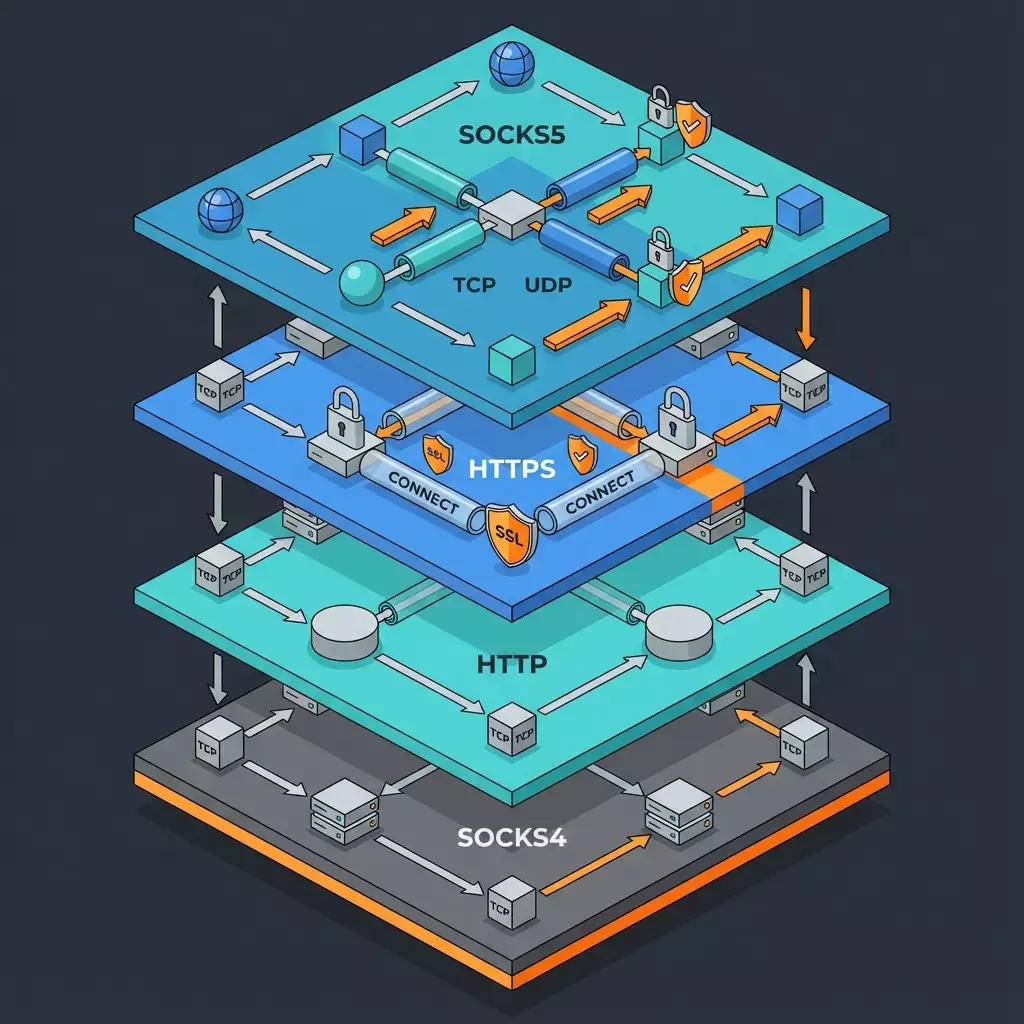
By “service” here we mean the mix of protocols and software you use to route traffic through a proxy. That might be a cloud pool of residential IPs, an on-prem corporate proxy, a cloud load balancer, or an SSH gateway. What matters is understanding the technical differences:
- HTTP proxy: operates at the HTTP layer. Good for unencrypted web requests. Simple and fast, but no content confidentiality. Supports methods like GET/POST, etc.
- HTTPS proxy: typically an HTTP proxy that supports the CONNECT method to tunnel TLS. Traffic to the target site is encrypted end-to-end (TLS), and the proxy only sees a tunnel. This is the standard for secure browsing, APIs, and most work scenarios.
- SOCKS4: a lightweight session-level forwarding protocol. No authentication and no UDP. Simple and fast, but dated.
- SOCKS5: the evolved SOCKS with authentication, IPv6, domain name support, and UDP ASSOCIATE. A true all-rounder for games, VoIP, P2P, odd ports, automation, and scraping.
Key selection criteria in 2026:
- Security: HTTPS (CONNECT) and SOCKS5 over TLS offer better confidentiality; SOCKS4 and plain HTTP offer minimal protection.
- Speed and stability: depend on implementation and route. SOCKS5 often wins in peer-to-peer and nonstandard scenarios. For HTTP/2 and HTTP/3, proper CONNECT tunneling is crucial.
- Compatibility: browsers and corporate apps expect HTTPS proxies; games, P2P, and custom clients prefer SOCKS5. Legacy systems may still rely on SOCKS4.
- Diagnostics and control: HTTP/HTTPS proxies are easy to inspect and log; SOCKS5 needs specialized tooling. For TLS interception in test-only setups, use MITM proxies.
Bottom line: there’s no single “best” protocol. Pick the best protocol for the job based on your architecture, privacy needs, traffic type, and toolchain.
Use Case 1: Marketing analytics and scraping—scale, antiban tactics, and budget control
Who it’s for and why
Agencies and product teams collecting price data, reviews, catalogs, SERP results, and competitor dynamics. The goal: export large volumes reliably, avoid constant CAPTCHAs, and stop wasting budget on failed bypass attempts.
Which protocol to choose
- HTTPS (CONNECT): the baseline for HTTP/HTTPS scraping. Works with most libraries (requests, aiohttp, Playwright, Selenium).
- SOCKS5: when you need DNS via proxy, IPv6, nonstandard ports, UDP (rare in scraping, but possible), and better resilience to some L7 filters.
Step-by-step
- Identify your traffic type. If you’re scraping regular sites and APIs—start with an HTTPS proxy. If you hit DNS leaks or tricky routing—switch to SOCKS5.
- Prepare your IP pool. Rotate every 5–15 minutes or per request. Segment by country and ASN aligned with target platforms.
- Python requests setup.
- HTTPS proxy: proxies = {"http": "http://user:pass@host:port", "https": "http://user:pass@host:port"}
- SOCKS5 proxy: install PySocks and set proxies = {"http": "socks5h://user:pass@host:port", "https": "socks5h://user:pass@host:port"}. Note the trailing h—resolution happens through the proxy.
- Eliminate DNS leaks. For SOCKS5 use socks5h; for HTTPS, run the client with system-wide DoH/DoT or use a proxy balancer that resolves upstream.
- Concurrency and timeouts. A good starting point: 5–20 concurrent connections per IP, timeouts 5–15s, and 2–3x backoff on 429/5xx.
- Headers and behavior. Rotate User-Agent, keep a cookie jar, add human-like delays, and prefer HTTP/2 where possible.
Example and results
A marketplace pricing team boosted success from 74% to 92% by moving from plain HTTP proxies to HTTPS with CONNECT and HTTP/2, sustaining ~950 req/min with 10 IPs rotating every 10 minutes. Shifting a subset to SOCKS5 (socks5h) fixed regional resolution errors and raised relevant item coverage by 3.7%. Average TTFB dropped 14% thanks to IP geolocation matching target CDN edges.
Tips and best practices
- Hybrid approach: send 80% of traffic via HTTPS proxies and 20% via SOCKS5 for tougher targets.
- HTTP/2 prioritization: some libraries support fixed priority—often reduces CAPTCHA pressure.
- Debugging 407 vs 403: 407 is proxy auth error; 403 is target block. Don’t confuse them. Log both paths.
- IP limits: enforce a fair rate limit, e.g., 600 req/hour/IP and 10–15 parallel connections per stream.
Use Case 2: Ads and multi-accounting—stable sessions and fewer flags
Who it’s for and why
Media buyers, arbitrage teams, SMM and CRM operators who need stable sessions, correct geo, fewer bans, and clean tracking.
Which protocol to choose
- HTTPS (CONNECT)—the standard for ad dashboards, email, and SSO. Highly compatible with antidetect browsers.
- SOCKS5—when you must hide DNS resolution, use rare ports, IPv6, or tunnel non-browser tools (API clients, headless bots).
Step-by-step
- Antidetect browser. Create a profile with the target country and timezone. Add HTTPS or SOCKS5 in proxy settings. For DNS, use socks5h or a DoH extension.
- Stable IPs. Accounts prefer static or sticky sessions for 24–72 hours. Change IP only when needed.
- Cookies and fingerprinting. Keep cookies per profile; no cross-account cache. Control canvas/audio/WebGL fingerprints.
- Proxy authentication. Use username/password, or better—IP whitelisting for production operations.
- Monitoring. Log status codes and “signals” (SMS checks, extra CAPTCHAs). Track per-session metrics.
Example and results
A 12-person buying team moved 46 ad accounts to HTTPS proxies with fixed IPs and stopped rotating during work hours. Result: 28% fewer extra checks, a 6.1% lift in campaign approval rate, and 12% budget savings by avoiding session recovery overhead. For a few picky accounts, SOCKS5 with socks5h removed odd DNS-driven redirects.
Tips and best practices
- Dedicated IP per critical account. Don’t share it across teammates.
- Time sync. Mismatched timezone + IP geo often triggers additional verification.
- Separate environments: use containers/profiles to isolate cookies and cache.
- Proxy logs: log CONNECT and 407/5xx responses—it helps in disputes with ad platforms.
Use Case 3: Gaming, streaming, and P2P—low latency and UDP
Who it’s for and why
Gamers, streamers, and game studio engineers who need lower ping, access to regional servers, and full UDP support.
Which protocol to choose
- SOCKS5 with UDP ASSOCIATE support—best choice for gaming and streaming.
- HTTPS works for web components, launchers, and auth, but not for in-game UDP.
Step-by-step
- Confirm UDP requirements. Most games and streaming stacks (especially P2P) benefit from UDP, making SOCKS5 a must.
- Windows setup. Use Proxifier: add a SOCKS5 proxy, create rules for the game and launcher executables, and enable UDP through proxy.
- Linux/macOS. Use proxychains-ng: set socks5 127.0.0.1 1080 and socks5_dns in the config. Launch the game via proxychains if supported.
- Bypass NAT/CGNAT. If you hit connection issues, bridge with SSH -D (dynamic port) as a local SOCKS5, then route via Proxifier.
- Monitor latency. Measure ping and jitter before/after. Pick a node geographically close to the game server.
Example and results
A player in Eastern Europe connected to a SOCKS5 node in Frankfurt for an EU West server. Ping dropped from 68 ms to 44 ms, jitter from 11 ms to 6 ms. Packet loss fell from 1.9% to 0.5%. A 6 Mbps stream stabilized and micro-freezes disappeared. The HTTPS proxy kept the launcher happy but didn’t help in-game.
Tips and best practices
- Test multiple nodes. Routing changes by time of day. Keep 2–3 backup regions.
- QoS and MTU. Try MTU 1452–1472; configure QoS on your router for game ports.
- Traffic isolation. Proxy only the game via SOCKS5. Send media and browser traffic directly.
Use Case 4: DevOps and corporate infrastructure—reliable channels, security, and audit
Who it’s for and why
DevOps engineers, admins, and SecOps teams needing controlled outbound channels (updates, containers, CI/CD) plus auditing and policy compliance.
Which protocol to choose
- HTTPS (CONNECT)—the corporate default. Easy to log, manage with ACLs, and integrate with LDAP/AD.
- SOCKS5—for nonstandard ports, CI tunnels, DB replicators, and internal services. Use carefully: logging is trickier.
Step-by-step
- Server. Deploy a corporate proxy (Squid, Nginx as a forward proxy for CONNECT, 3proxy or Dante for SOCKS5). Enable authentication and ACLs by subnets/accounts.
- Linux clients. Export environment vars: HTTP_PROXY, HTTPS_PROXY, NO_PROXY. Verify curl, apt, yum, pip, npm.
- Docker/OCI. Create /etc/systemd/system/docker.service.d/http-proxy.conf with proxy env, then daemon-reload and restart. For builds, use BuildKit with proxy args.
- Git. git config --global http.proxy http://user:pass@host:port and likewise for https. For SSH repos, use ProxyCommand or ssh -o "ProxyCommand=..." via corkscrew or nc with CONNECT.
- Windows/macOS. Windows: netsh winhttp set proxy, or configure in WinINET. macOS: networksetup -setwebproxy and -setsecurewebproxy. Maintain bypass lists for internal domains.
- Logs and audit. Log CONNECT requests, frequencies, volumes, status codes, and anomalies. Integrate with SIEM.
Example and results
A company with 300 developers rolled out a centralized HTTPS proxy with mandatory auth and allowlists. Build times dropped 18% thanks to artifact caches and a local mirror; key leak incidents fell 32% after blocking suspicious egress. A SOCKS5 gateway for edge-case CI agents shaved 11% off deploy time.
Tips and best practices
- Segment access. Separate developers, service accounts, and contractors.
- NO_PROXY: always exclude internal domains to avoid routing intranet traffic outside.
- TLS 1.3 and ALPN: ensure your proxy tunnels modern handshakes and doesn’t break HTTP/2 or HTTP/3.
Use Case 5: Mobile app testing, HTTPS interception, and debugging
Who it’s for and why
QA engineers, mobile developers, and analysts who need to intercept and modify traffic, inject test payloads, reproduce edge cases, and measure performance.
Which protocol to choose
- HTTPS proxy with MITM capabilities in a test environment (Burp, mitmproxy). Never use MITM in production or for real customers.
Step-by-step
- Spin up the tool. Run mitmproxy or Burp Suite as an HTTP(S) proxy on your desktop.
- Certificate. Install the test CA certificate on the device (Android: settings/security; iOS: install a profile and trust the cert). Emulators are easier.
- Device setup. In Wi‑Fi settings, set your desktop’s IP and proxy port. For Android 14+, ensure the app doesn’t use pinning or use test-only pinning bypass frameworks.
- HTTP/2/3 traffic. Make sure your proxy handles ALPN correctly and doesn’t force unnecessary downgrades. Enable HTTP/2 and disable HTTP/3 at the client if needed.
- Scenarios. Record sessions, inject delays, emulate 5xx, rewrite responses, and measure size and timing.
Example and results
The QA team discovered the app mishandled 204 and 304 responses on flaky networks, duplicating metrics. With mitmproxy emulation and a fix to retry logic, error events dropped from 3.2% to 0.4%. Enabling HTTP/2 on real connections cut screen load time by 17%.
Tips and best practices
- Pinning strategy. Don’t disable pinning in production. Use dedicated dev builds and test CAs.
- Isolate the environment. Proxy only the test device/emulator. Keep prod traffic out of scope.
- HTTP/2 limits: sometimes lowering per-connection concurrency stabilizes measurements.
Use Case 6: Automation, package managers, and CI—when downloads must always work
Who it’s for and why
Developers and CI engineers with recurring builds, artifacts, and dependencies. In corporate networks, proxies are often mandatory.
Which protocol to choose
- HTTPS (CONNECT)—compatible with curl, wget, apt, yum, pip, npm, Maven, Gradle, Docker, Git.
- SOCKS5—a fallback for nonstandard repos and tricky network topologies.
Step-by-step
- Global environment. On build agents, set HTTP_PROXY, HTTPS_PROXY, NO_PROXY. Exclude local artifact stores and mirrors.
- Docker. Configure proxies for the daemon and builds; ensure docker pull/push works. Verify registry auth.
- Git and package managers. Put proxy settings in config files (npmrc, pip.conf, Maven settings.xml, gradle.properties).
- Caches and mirrors. Use local caching repositories to save bandwidth and reduce dependency on the public internet.
- Error monitoring. Distinguish 407 (proxy auth) from 403 (repo access). Use retry with backoff.
Example and results
A CI platform running 120 daily builds centralized HTTPS proxying and added local mirrors. Average build time dropped 21%; npm install timeouts fell from 5.4% to 0.8%. Switching a couple of problematic steps to SOCKS5 eliminated DNS conflicts with the internal resolver.
Tips and best practices
- Pin your setup. In Dockerfiles, pin versions and sources so build cache remains effective behind the proxy.
- Certificates. If the proxy inspects TLS, add your corporate CA to the trust stores of CI agents and containers.
Use Case 7: Content research and regional access—accurate geo and privacy
Who it’s for and why
Marketers, editors, analysts, and researchers who need to see search results and content exactly as local users do.
Which protocol to choose
- HTTPS (CONNECT) for browsers and search interfaces.
- SOCKS5 with socks5h when geo-accurate DNS resolution matters and you must avoid DNS leaks.
Step-by-step
- Pick the right geo. Choose IPs in the target country—and ideally city—of your audience.
- Browser setup. In Firefox, enable “Remote DNS” with SOCKS5; in Chromium, use system proxies or launch flags.
- DoH/DoT. With HTTPS proxies, turn on DoH in the browser to avoid local DNS leaks.
- Switch nodes. Test 2–3 IP providers; different ASNs can change results.
Example and results
An editorial team set up SOCKS5 with socks5h in London. SERP and weather widgets aligned with the UK market, and test campaign CTR rose 8.9% thanks to more relevant snippets. With a plain HTTPS proxy, local DNS sometimes served non‑UK cache, causing “drift” in results.
Tips and best practices
- Keep profiles clean. Use private containers so history and cookies from other regions don’t bleed into tests.
- Verify IP/ASN. Make sure the IP belongs to the right provider—CDN localization depends on it.
Technical differences: security, speed, compatibility
Security
- HTTP: no encryption, vulnerable to interception. Use only for open data within a trusted perimeter.
- HTTPS (CONNECT): encryption from client to site, with the proxy seeing only a tunnel. Supports TLS 1.3, ALPN, and HTTP/2/3 through CONNECT.
- SOCKS4: no authentication, no UDP, minimal control. Only for legacy.
- SOCKS5: authentication, IPv6, UDP, domain names, and can run over TLS (implementation-dependent). Great for complex scenarios.
Speed
- HTTP/HTTPS: minimal overhead, especially with HTTP/2 multiplexing. A well-configured CONNECT adds almost no latency.
- SOCKS5: efficient at the transport layer and often faster for nonstandard routes and UDP.
Compatibility
- Browsers and office apps: best with HTTPS proxies.
- Games, P2P, custom clients: SOCKS5 is the most versatile choice.
- Legacy systems: may require SOCKS4, but it’s the exception.
Setup: quick cheat sheets
Windows
- System proxy: Settings → Network & Internet → Proxy → Manual setup. For WinHTTP: netsh winhttp set proxy proxy-server="http=host:port;https=host:port" bypass-list="*.corp.local"
- Proxifier: Add HTTPS or SOCKS5 and create per-app rules.
macOS
- networksetup -setwebproxy Wi-Fi host port; networksetup -setsecurewebproxy Wi-Fi host port; networksetup -setautoproxyurl Wi-Fi http://pac.example/proxy.pac
Linux
- Environment: export HTTP_PROXY, HTTPS_PROXY, NO_PROXY. For systemd services—Environment=.
- proxychains-ng: in /etc/proxychains.conf add socks5 127.0.0.1 1080 and socks5_dns.
Browsers
- Firefox: Manually set SOCKS5 and enable “Proxy DNS when using SOCKS”; for HTTPS, set an HTTP proxy and CONNECT port. DoH is in Privacy settings.
- Chromium: Use the system proxy or launch with --proxy-server=socks5://host:port.
CLI and Dev tools
- curl: curl -x http://user:pass@host:port https://example.com; for SOCKS5—curl --socks5-hostname user:pass@host:port https://example.com
- Git: git config --global http.proxy http://user:pass@host:port
- Docker: Configure /etc/systemd/system/docker.service.d/http-proxy.conf and restart the daemon.
Common mistakes and how to avoid them
- Confusing HTTP vs HTTPS: pointing an HTTP proxy at HTTPS traffic without CONNECT causes failures. Fix: use the CONNECT method.
- DNS leaks: the proxy works but DNS resolves locally—results and routes drift. Fix: socks5h, DoH/DoT.
- CAPTCHAs and bans: too many requests from one IP. Fix: IP rotation, realistic User-Agent, pacing, and HTTP/2.
- 407 errors: bad proxy credentials. Verify username/password and URI format.
- Broken HTTP/2/3: misconfigured proxy insertion. Fix: up-to-date proxy software and ALPN checks.
- Mixed traffic: one app bypasses the proxy. Fix: system-level settings plus Proxifier/proxychains rules.
Tooling combinations
- Squid/Nginx (CONNECT) + 3proxy/Dante (SOCKS5): combine within one stack for different traffic types.
- mitmproxy/Burp: for TLS inspection and debugging in dev/testing only.
- Proxy Manager/Rotator: to spread load and rotate IPs for scraping and ads.
- Proxifier and proxychains: to force app traffic through the right proxy.
Alternatives compared: VPN, SSH, Tor—what to choose
- VPN: the system sees a single tunnel. Pros: easy for users, system-wide coverage. Cons: less granularity, often limited UDP on custom ports, harder auditing. Proxies win on flexibility and app-level control.
- SSH -D (SOCKS5): the fastest way to get a local SOCKS5. Pros: SSH security, simplicity. Cons: manual ops, limited scalability, constrained audit.
- Tor: high anonymity, high latency, low stability. Not for commercial scraping or gaming. Many platforms block Tor exits.
- CDN/WARP tunnels: handy for bypassing limits, but provider policies and L7 behavior can be unpredictable.
Why choose proxy protocols: you control which traffic goes through the proxy, pick the protocol per task, follow company policies, scale, and log everything. In 2026, that’s often the best balance of security, speed, and control.
FAQ: 10 practical questions
1. HTTPS or SOCKS5 for browsers?
Usually HTTPS via CONNECT. If you need remote DNS resolution, IPv6, or unusual ports—SOCKS5 with socks5h.
2. Does SOCKS5 help bypass CAPTCHAs?
Not by itself—it’s just transport. CAPTCHAs require IP rotation, behavioral pacing, realistic headers, and cookie management.
3. Why pick an HTTPS proxy over a VPN?
Granularity and enterprise compatibility: better auditing, access control, and per-app routing instead of “all traffic at once.”
4. Do I still need SOCKS4 in 2026?
Almost never. It’s for legacy clients only. For new work, use SOCKS5.
5. How do I prevent DNS leaks?
Use socks5h, enable DoH/DoT, check browser settings for remote DNS, and configure the system resolver carefully.
6. Can I tunnel HTTP/3 through a proxy?
Yes—if CONNECT and ALPN pass through correctly. The proxy must not break the QUIC handshake.
7. Why am I getting 407?
Invalid proxy credentials or missing auth method. Verify username/password and URI format.
8. What’s faster: HTTPS or SOCKS5?
It depends on route and implementation. For web traffic, they’re often comparable. For UDP and custom flows, SOCKS5 frequently wins.
9. How do I pick geo for scraping?
Match both country and ASN to the target platform. Test multiple IP pools, watch TTFB and block rates.
10. Can I use proxies with an antidetect browser?
Yes—that’s standard: set HTTPS or SOCKS5 per profile, keep separate cookie stores, and use sticky IPs.
Conclusions: who should use which protocol—and how to start
HTTP—for open data and legacy only. HTTPS (CONNECT)—your default for browsers, APIs, office apps, CI/CD, and corporate networks. SOCKS5—your precision tool: gaming and streaming with UDP, scraping with remote DNS, complex networking, custom ports, and IPv6. SOCKS4—for rare legacy clients. Start simple: enable an HTTPS proxy where you need secure web access, then add SOCKS5 for cases where UDP, DNS via proxy, or flexible routing are critical. Standardize configs, audit usage, automate IP rotation, and track speed and stability. In 2026, winning teams don’t argue about the “best” protocol—they assemble the right stack for each business task.