2025 Trend: Hyper-Personalizing Website Content with AI and Geo-Data
Contenido del artículo
- Introduction: why 2025 is the year of hyper-personalization
- What is hyper-personalization with a geo component?
- Why it works: psychology, context and conversion
- Main sources of geo-data and their accuracy
- System architecture: how to link ai and geo-data
- Hyper-personalization techniques: algorithms and tactics
- Use cases: from e-commerce to news portals
- Ethical and legal considerations: privacy and consent
- Technical tools and stack: what to use in 2025
- Success metrics: how to measure hyper-personalization effects
- Common mistakes and how to avoid them
- Step-by-step implementation: from idea to production
- Cases and inspiring examples for 2025
- Budgeting and cost estimates
- A/b testing and monitoring tools
- Future and trends: what’s next
- Quality control: testing, audits and feedback
- Practical tips: implementation checklist
- What to expect in the first 6–12 months
- Conclusion
Introduction: why 2025 is the year of hyper-personalization
Imagine a website that greets you like a local guide, calls you by name, tailors city tips and promotions to your neighborhood, and serves content as if it already knows your habits. Sounds like sci‑fi? Not in 2025. We’re at the point where personalization moves beyond a name in a header and becomes a fine-tuned science: hyper-personalization that blends AI and geo-data to adapt content to a user’s location, context and even mood. In this article I’ll walk you through methods, best practices and pitfalls, explain technical architectures and tools, give real usage scenarios, and share concrete steps to implement this approach.
What is hyper-personalization with a geo component?
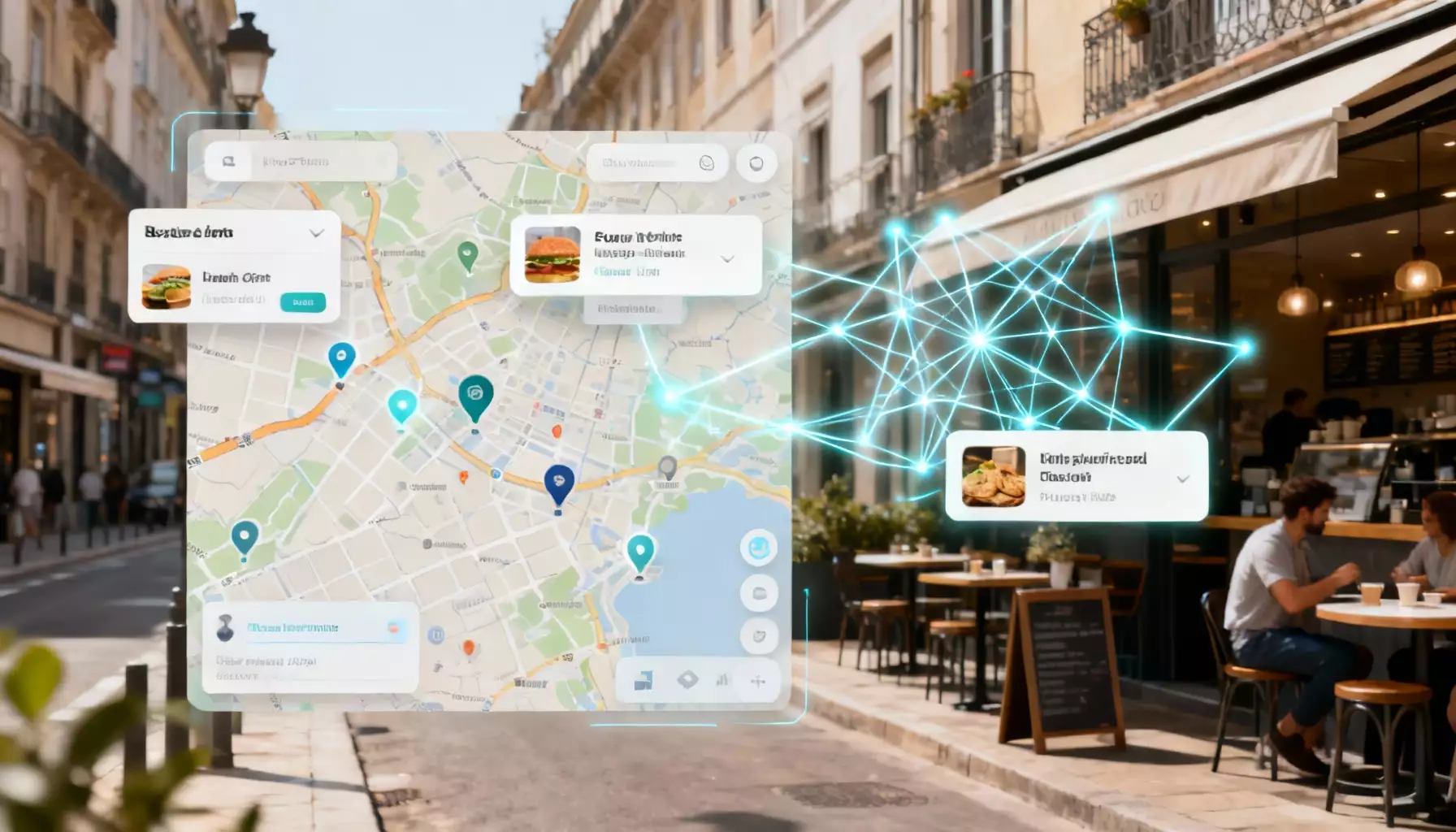
Hyper-personalization isn’t just another recommendation engine. It’s a system that relies on hundreds of signals—demographics, behavior, interaction history, time of day, and a crucial ingredient: geolocation. Geo-data adds context: city, neighborhood, distance from a point, terrain type, climate and even the density of nearby POIs (points of interest). Combined with AI, geo-data lets you do more than show “similar items.” You can script experiences: local promos, curated picks, or even change page structure and navigation depending on a user’s route. Picture visiting a coffee shop’s site and seeing a button that says “Nearest cup in 200 meters,” with prep time and available discounts. That’s hyper-personalization powered by geo-data.
Why it works: psychology, context and conversion
People decide based on context. Location speaks—depending on where you are, you’ll care more about weather, maps, events, delivery options or local offers. AI recognizes patterns and predicts intent. When a site instinctively answers those intentions, conversions rise, retention improves and users feel understood. It’s like a conversation: if your interlocutor anticipates your needs, you trust them. Geo-data adds an extra layer of credibility—proof the system “knows” where you are and what matters to you right now.
Main sources of geo-data and their accuracy
Geolocation comes from a few different sources. Each has strengths and limits you should know about, or your personalization will misfire.
IP geolocation
IP addresses are simple and widely available. Pros: no permission needed. Cons: city-level accuracy is usually solid, neighborhood-level is hit-or-miss, and street-level accuracy is often poor. VPNs, corporate proxies and mobile carriers can distort results. IP works well for broad localization: language, currency, and regional news.
GPS and browser geolocation
The most accurate option for mobile and modern browsers—but it requires the user’s permission. Use it when you need precision: in-store navigation, finding the nearest locations, or delivery. UX matters: ask for permission gracefully and explain the benefit.
Wi‑Fi and Bluetooth beacons
Used for indoor navigation and retail. Very precise indoors, but it requires hardware integration and user consent. Great for hyper-local offers and personalized in-store messages.
Device metadata and network signals
Provider info, mobile network details, device language settings, and timezone all enrich the picture. These signals help refine IP geolocation and improve model predictions.
User input
Addresses, city selectors, ZIP codes and form entries are simple but often underrated. Users can directly provide their location and preferences, giving high-quality context—especially when they’re explicitly searching for local services.
System architecture: how to link AI and geo-data
Think of your architecture as an orchestra: data are the instruments, AI is the conductor, and the user is the audience. For harmony, each part must play together. A typical stack includes layers for data collection, preprocessing, models, business rules and frontend adaptation.
Collection and aggregation
Start by gathering streams: server logs, browser signals, mobile SDKs, and third‑party geo-databases. Tag each source and its trust level carefully. For every event record source of geo, accuracy, timestamp and user consent.
Storage and transformation
Your storage must scale and be secure. A hybrid approach works best: fast caches for low-latency lookups (Redis), analytical stores for batch processing (Data Lake, Snowflake) and spatial databases for geospatial queries (PostGIS). Transformations should normalize coordinates, snap points to administrative boundaries, calculate distances and aggregate by POI.
Model layer: recommendations to generative AI
This is where the algorithms live: classification, ranking, collaborative filtering, context-aware recommenders and generative models that produce copy and UI elements. Geo-personalization needs models aware of spatio-temporal features—where the user has been, when they moved, and what’s nearby. Sequence models and graph neural networks excel at predicting next steps and building route-based suggestions.
Business rules and fallback logic
AI makes mistakes. You need rules: if geo accuracy is low, show regional offers; if GPS is denied, rely on IP and ask for a city. Design fallback logic up front so UX won’t break when data are missing.
Frontend and A/B experiments
The frontend is where personalization becomes visible—adaptive banners, dynamic blocks, menu restructuring, localized CTAs. Implement A/B tests and feature flags, so you can measure impact and roll back quickly if something underperforms.
Hyper-personalization techniques: algorithms and tactics
Let’s break this into concrete techniques and scenarios. These are approaches that actually work in 2025, with examples you can implement.
1. Geo-redirects and localization
The basic move is redirecting and adjusting language, currency and terminology by country and city. Don’t go overboard: aggressive redirects annoy users. Offer localization with a visible toggle and remember the user’s choice.
2. Geo-targeted recommendations
Your recommender should consider neighborhood behavior: what are people buying within a 2 km radius? What events are nearby? Blend collaborative filtering with local trends to deliver truly relevant selections.
3. Content that adapts to weather and time
Show relevant products and tips: umbrellas when it rains, fans in a heatwave, outdoor activities on weekends. Pull weather and schedule data and merge them with the user’s coordinates.
4. Personalized routes and offline interactions
For retail and services with physical locations: suggest routes to nearby points, factor in crowding and wait times. Models can predict the best route and the optimal time to visit.
5. Dynamic offers and price tiers
Adjust pricing and offers by city or neighborhood. Be careful with fairness and regulation—never discriminate without a clear, defensible reason.
6. Personalized copy and generative content
Generative models can produce copy and visual elements tailored to geo-context: “Top breakfasts near you downtown” or “A warm jacket perfect for chilly evenings in Saint Petersburg.” The key is quality control and fact-checking.
7. Hyper-local SEO and content blocks
Create micro-pages and neighborhood-specific blocks for streets or transit stops. This boosts local search visibility and delivers highly relevant content to nearby users.
Use cases: from e-commerce to news portals
Seeing beats hearing—here are practical scenarios and how to implement them.
E-commerce scenario
A user opens a clothing brand’s mobile app. Knowing their neighborhood and purchase history, the system shows “Trending in your area today,” factoring in weather and nearby pickup points. If the brand has stores, the AI estimates delivery to the nearest pickup and offers “Pick up in 1 hour.” These touches lift conversion and retention.
Media company scenario
On a news site, the content block reorders by location: locals see regional headlines first, while a tourist gets “What’s happening around you” with events near their position. Generative AI can produce short summaries under headlines with geo-links, if the user consented to location sharing.
Delivery services scenario
The system predicts delivery times and suggests windows based on traffic density and weather. At checkout, the AI recommends optimal time slots using courier locations and kitchen load, improving punctuality and customer satisfaction.
Ethical and legal considerations: privacy and consent
Personalization only works within trust. By 2025, privacy laws and expectations have increased. GDPR, CCPA and national rules set strict standards for collecting and using geo-data. Here’s what matters.
Transparency and consent management
Ask for permission clearly and informatively. Explain why you need geolocation and what benefits users get. Provide a simple opt-out without stripping core functionality.
Data minimization and retention
Collect only what you need and store it only as long as necessary. Anonymize where possible. Minimization reduces breach risk and simplifies compliance.
Fairness and non-discrimination
Avoid discriminating by residence. Don’t raise prices for people in certain neighborhoods without an objective reason. Monitor targeting anomalies and correct them.
Security and access control
Geo-data is sensitive. Use encryption, RBAC, access audits and anomaly monitoring. Implement deletion procedures upon user request.
Technical tools and stack: what to use in 2025
Tools evolve, but proven solutions and patterns still guide solid systems.
Collection and processing tools
- Analytics and tracking services for client-side events
- Mobile SDKs with geo and event support
- ETL/ELT pipelines to ingest streams into a Data Lake
Storage and geospatial databases
- PostgreSQL + PostGIS for spatial queries
- Data Lake (Parquet/Delta Lake) for analytics
- Redis/ClickHouse for fast aggregates and real-time analytics
Models and ML tools
- PyTorch/TensorFlow for custom models
- Graph-ML and sequence models for route and behavior prediction
- Transformer models and LLMs for generating copy and personalized messages
Infrastructure and orchestration
- Kubernetes for model scaling
- Feature stores (e.g., Feast) to sync features between offline and online environments
- API Gateway and edge caches to reduce latency
Success metrics: how to measure hyper-personalization effects
Your goal is better business outcomes and UX. Use these metrics to measure impact:
- Conversion rate (CR) for geo-targeted segments
- Average order value and repeat purchases in personalized neighborhoods
- CTR for local banners and cards
- Time on page and depth of visit
- Drop-off reduction for users entering from specific regions
- Net Promoter Score (NPS) and CSAT among users who received local recommendations
Run A/B tests and experiments. A gradient approach—start small, then scale—reduces risk and builds confidence in results.
Common mistakes and how to avoid them
Even experienced teams fall into the same traps. Here are typical errors and practical tips to dodge them.
Mistake 1: aggressive geo-targeting
If you radically change content out of the gate, users feel out of control. Fix: take a softer approach—offer localization rather than forcing it. Show a preview and let users revert.
Mistake 2: ignoring fallback logic
Data loss or low geo accuracy can lead to empty or irrelevant blocks. Design fallback flows and test failure scenarios ahead of time.
Mistake 3: poor quality control of generated content
LLMs can invent outdated or incorrect geo-facts. Always run generated content through fact-checks and business rules.
Mistake 4: privacy violations
Lack of transparency and poor storage will cost you trust and fines. Implement clear data policies and communicate openly with users.
Step-by-step implementation: from idea to production
Ready for a practical plan? Follow these steps to roll out geo-driven hyper-personalization in your project.
- Assess goals and hypotheses: What do you want to improve—conversion? engagement? Define hypotheses and KPIs.
- Audit your data: Which geo-sources do you have? What accuracy do they offer? What consents are in place?
- Design your data architecture: Decide what runs in real-time vs analytics. Set up ETL and a feature store.
- Develop models and rules: Start with simple models and rules, then layer in advanced ML.
- Create frontend experiments: Build client logic, A/B tests and UX checkpoints.
- Run a pilot: Test hypotheses on a limited audience, measure metrics and collect feedback.
- Optimize and scale: Expand what works and fix what doesn’t based on pilot results.
- Implement QA and security processes: Monitoring, logging, access audits and data deletion procedures.
Cases and inspiring examples for 2025
By 2025, there are clear examples where hyper-personalization shines. Here are realistic, actionable cases you can adapt.
Case: restaurant booking service
A reservation platform integrated population density and city event data. It recommended available tables within a 1 km radius, factored in weather and local buying habits. Outcome: an 18% drop in booking cancellations and a higher average check thanks to localized upsells.
Case: apparel marketplace
A marketplace adapted inventory and promotions by region and optimized logistics: warehouses serving high-demand areas received prioritized restocking. Delivery times shortened, returns fell and customer loyalty rose.
Case: city services portal
A municipal portal used hyper-personalization for residents: localized notifications about roadworks, service recommendations and nearby events. Engagement improved and call-center load decreased.
Budgeting and cost estimates
What does it cost to implement hyper-personalization? It depends on scale, but main expenses are similar: data collection and SDKs, storage and models, frontend development, partner integrations, legal support and operations. An MVP can fit a moderate budget if you use managed cloud services and open-source tools. Key advice: start with a minimum viable product and invest more as hypotheses prove out.
A/B testing and monitoring tools
Continuous experimentation is the backbone of modern personalization. Use experiments to validate hypotheses and monitor side effects.
- Feature flagging systems for safe rollouts.
- A/B platforms and event analytics.
- Model quality monitoring and drift detection.
Monitoring should cover business metrics and fairness metrics, geo-errors and user complaints.
Future and trends: what’s next
Hyper-personalization will intensify thanks to several upcoming trends:
- Interactive LLMs that adapt copy and UI in real time.
- Growth in local datasets and more precise indoor navigation.
- Tighter regional privacy rules and the rise of private computation (PETs).
- AR integration: overlaying personalized content onto the real world.
Those who implement these practices responsibly will gain an edge. Remember: technology is a tool—trust is the real asset.
Quality control: testing, audits and feedback
Testing personalization must be thorough. Plan for:
- Unit tests for geo-data handling.
- Integration tests for the full event-to-visualization path.
- Edge-case tests: VPNs, missing data, invalid coordinates.
- User testing and feedback collection from A/B experiments.
Algorithm audits and independent reviews of recommendation correctness reduce reputational risk.
Practical tips: implementation checklist
A short checklist to help you start:
- Define goals and KPIs.
- Pass a legal review for 2025 compliance.
- Gather a minimal set of geo-sources and set fallback rules.
- Design a transparent consent flow.
- Allocate a feature store and a realtime layer.
- Begin with simple geo-rules, then add ML.
- Run A/B tests and monitor fairness metrics.
What to expect in the first 6–12 months
Personalization is iterative. In the first six months you’ll see higher CTR and engagement, but meaningful revenue impact typically appears in 6–12 months as the model accumulates data and you refine features. Expect continuous improvement and new hypotheses to explore.
Conclusion
AI-driven hyper-personalization with geo-data is a powerful lever that can turn a generic site into an adaptive platform that answers real human needs. In 2025 the tech and regulations are mature enough for broad adoption—if you act responsibly, prioritize transparency and minimize user risk. Remember: a great product feels the user not because it knows everything, but because it respects their choices and time.
FAQ
1. Do you need to ask users for permission to access geolocation?
Yes. Always request permission and explain why you need it. Don’t collect GPS data without explicit consent. Offer alternatives and describe the benefits.
2. Which geo-data source is the most reliable?
It depends on the use case. GPS and browser geolocation are best for navigation; IP is fine for regional personalization. Combining sources and estimating trust gives the best results.
3. How do you avoid discrimination in geo-targeting?
Follow fairness principles: don’t change conditions based solely on an address without an objective reason. Implement audits and anomaly monitoring.
4. What metrics should I use to evaluate effectiveness?
Common metrics: CTR, conversion, average order value, retention. Add fairness metrics, geo-error rates and user quality ratings.
5. How do I start with minimal risk?
Start small: build an MVP with simple geo-rules, implement a transparent consent flow, run A/B tests and gradually introduce ML solutions.