Browser AI Agents 2026: How They Work, Their Usefulness, and Avoiding Bans with Mobile Proxies
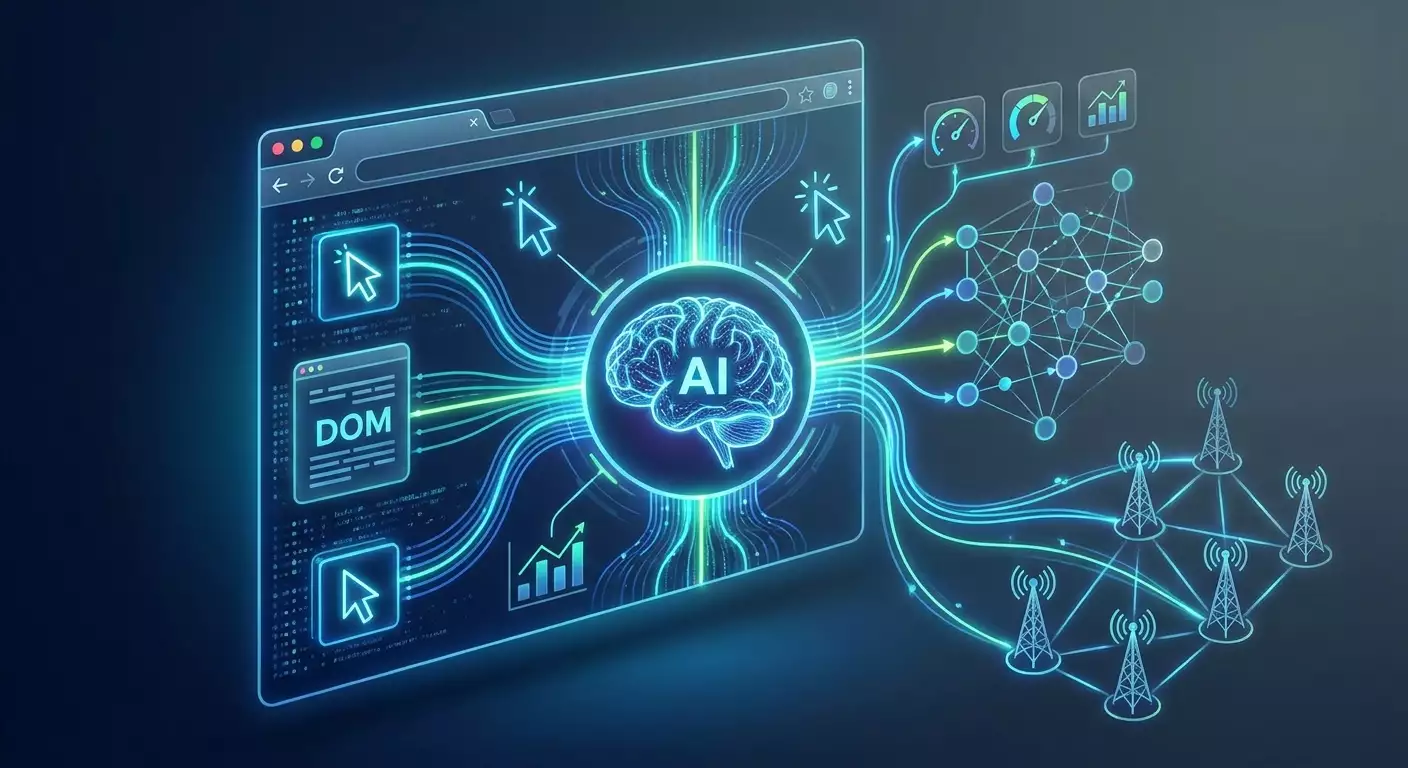
Table of contents
- Introduction: why this topic matters and what you'll get
- Basics: fundamental concepts of browser ai agents
- Diving deep: architecture, models, anti-bot measures, and network environment
- Practice 1: research and analytics in the browser with an ai agent
- Practice 2: ui testing and quality control
- Practice 3: data collection and ethical screening
- Practice 4: form filling and operational web rpa
- Why websites ban: behavioral patterns and the impact of network infrastructure
- Mobile proxies and reduced bans: how it works in practice
- Frameworks, metrics, and checklists for design and evaluation
- Common mistakes and how to avoid them
- Tools and resources
- Case studies and results
- Faq: frequently asked questions
- Conclusion: summary and next steps
Introduction: Why This Topic Matters and What You'll Get
The year 2026 has marked a turning point for practical automation in browsers. Browser AI agents have evolved from mere experiments to essential tools for analytics, user interface testing, structured data collection, and unified RPA in the web. New opportunities presented by Claude Computer Use and OpenAI Operator, combined with the maturity of open-source stacks like Browser-Use and Playwright, have drastically lowered the entry barrier: now, a single team can build entire task pipelines where an agent receives directives in natural language, navigates sites, clicks, scrolls, reads pages, extracts relevant information, and leaves artifacts for quality control.
However, widespread use has brought challenges. Web platforms have learned to identify automated behavior effectively through behavioral patterns and network anomalies: overly precise timing, unnatural cursor trajectories, discrepancies in geo and system parameters, and unstable fingerprints. The result is mass bans and slowdowns. The solution lies not only in improved behavioral models but also in network infrastructure: mobile proxies with real operator IPs help align the agent's network profile closer to that of a genuine user, disciplining request frequency, managing sessions, and rotations, thereby reducing the likelihood of sanctions from websites.
In this guide, we’ll break down the entire stack: how browser agents work, the tasks they can perform, why websites ban them, and how to build infrastructure for stable and compliant operations. We'll detail practices — from research to UI testing, from data collection to form filling — providing step-by-step instructions and checklists, frameworks for quality and metrics, case studies, and expected outcomes. In the end, you'll receive a 90-day roadmap for implementation and scaling.
Basics: Fundamental Concepts of Browser AI Agents
What is a Browser AI Agent
A browser AI agent is a system that manages a browser (visually or through the DOM) to achieve specific goals: for example, to find information, assemble price tables, test a registration flow, or fill out an application form. The agent interprets the page's state, plans its steps, executes actions (clicks, text input, scrolling, navigation, downloading), and evaluates the results. It operates in a cycle of "observe → plan → act → check," where "observe" means accessing the DOM and/or taking screenshots, "plan" translates to deciding what to do next, "act" entails the specific steps taken, and "check" involves evaluating whether the goal has been reached.
Key Blocks of the System
- Brain (LLM/VLM): a large language model (sometimes with visual capabilities) that transforms objectives into action plans and interprets the page's state.
- Executor (browser controller): a browser management engine (e.g., Playwright or Selenium) that accurately performs the agent's actions.
- Tools: functions for translation, structured data extraction, data analysis, file downloading, time and date normalization, and parsing.
- Memory and Context: sessions, cookies, local storage, vector notes on progress and process state.
- Observer: a module that collects signals from the page: DOM snapshots, screenshots, network events, timings, logs.
- Security and Policy: content filters, adherence to robots.txt and site rules, masking personal data.
Different Approaches
- DOM agents: directly read the DOM structure, search for available elements, identify forms and buttons, trigger events. Pros — accuracy and performance. Cons — can struggle with unconventional UIs and rendering in canvas/webgl.
- Visual agents (screenshot-to-action): take screenshots and provide coordinates and action types. Pros — versatility. Cons — sensitivity to minor interface changes and the need for a robust visual model.
- Hybrid: combine DOM and visual signals, often showing better reliability in complex interfaces.
Where They're Applied in 2026
- Research and Competitive Analysis: gathering facts, comparative tables, market overviews, verifying official sources.
- UI/UX Testing: regression and smoke tests for user scenarios, accessibility checks, visual comparisons.
- Data Collection: structuring publicly available information in compliance with platform rules and the law.
- Web RPA: filling out pre-agreed forms, extracting reports from personal accounts, performing repetitive tasks.
Diving Deep: Architecture, Models, Anti-Bot Measures, and Network Environment
Solution Stack: Claude Computer Use, OpenAI Operator, Browser-Use, and Open-Source
- Claude Computer Use: focused on safely executing actions on a computer and in a browser. Its strength lies in high-quality planning and polite, reliable strategies with step-by-step action confirmation. Suitable for processes where correctness and traceability are critical.
- OpenAI Operator: an ecosystem of tools for computer use and agent cycles with an emphasis on access to tools, secure scopes, and fine-tuning of roles. Its advantage is flexible expansion with tools and strict security policy.
- Browser-Use (open-source): a combination of LLM planning and Playwright execution; rapid prototyping of browser agents in code. Its advantages include transparency and control, customization opportunities, and integration into CI/CD.
- Combined open-source stacks: Playwright or Selenium + LangChain/AutoGen/Guidance + your tools. This is the route for those who want to finely control the entire pipeline, including observation, logs, and policies.
Architectural Patterns
- Plan-Act-Reflect: the agent builds a plan, acts, and then conducts self-evaluation of the results. It minimizes errors and enhances stabilization.
- Critic-Executor: one model suggests a step, while another critiques and refines it before execution.
- Toolformer-style: the model decides when to invoke an external tool: a translator, parser, calculator.
- State Graph: an explicit map of states with allowable transitions. Convenient for business-critical flows.
Behavioral Telemetry and Anti-Bot Measures
Websites in 2026 extensively use a combination of signals to detect automation. The classic fingerprint is supplemented by behavioral telemetry. It's essential to understand why systems impose bans:
- Unnatural Timings: intervals of clicks and typing are synthetically even; variability and pauses are absent.
- Cursor Trajectory: overly linear, perfect movements; lack of micro-jitters and natural hand 'tremors.'
- Scrolling Patterns: large, abrupt jumps, instant scrolling to the end, absence of "scanning" sections.
- DOM Behavior: calls to elements without visibility, interactions with hidden layers, skipping mandatory steps in the interface.
- Network Anomalies: discrepancies in Accept-Language, timezone, geo, ASN, as well as unusual TLS characteristics and absence of background requests typical for real devices.
- Too High Parallelism: dozens of tabs in a single context, synchronous, repeating actions.
How Mobile Proxies Reduce the Risk of Sanctions
Mobile proxies with real operator IPs bring the agent's network profile closer to that of a genuine mobile network subscriber. This is achieved through:
- ASN and IP Pool of the Operator: websites assess traffic from real mobile operators differently than from data center ranges.
- NAT and Rotation: IPs dynamically change within the operator's pool; with correct limits, the traffic appears more natural.
- Mixed Background Traffic: typical network characteristics and delays for mobile devices create a realistic profile.
Practically, this means more robust sessions as long as you maintain request frequency, limit parallelism, adhere to robots.txt and site rules, and do not handle personal data without legal grounds.
Stabilizing Fingerprint and Sessions
- Consistency of User-Agent and Platform: align headers, fonts, time, interface language.
- WebGL/Canvas Noise: use stable drawing profiles, avoid 'ideal' parameters without noise.
- WebRTC and DNS: check for leaks with DNS Leak Test and IP checks prior to critical tasks.
- Sticky Sessions: assign one session to one goal; include rotation after completing a logical task or after a timer.
Practice 1: Research and Analytics in the Browser with an AI Agent
When It's Effective
Research involves gathering confirmed facts from public sources: company pages, documentation, publications, and official press materials. The agent helps expedite the routine: it opens results, navigates to relevant sections, extracts structures (title, date, price ranges, set of features), compiles them into a single table, and leaves links and screenshots as evidence.
The "4S" Framework for Research
- Scope: clearly define the goals, criteria for including and excluding sources.
- Sources: a list of primary priority sites, secondary sources, and verification methods for reliability.
- Schema: structure of final data: columns, types, units of measurement, policy for missing values.
- Sign-off: artifacts for confirmation — URLs, date of access, screenshots, excerpts of text.
Step-by-Step Instructions
- Prepare a prompt brief: the goal, limitations, output format (CSV with columns X, Y, Z; for each entry, a source link and date).
- Set up the agent: enable DOM access and source citation module; activate duplicate checking by domain and title.
- Define limits: maximum number of pages, site timeout, redirection rules.
- Network Environment: choose a mobile proxy, specify the region, and enable sticky sessions for one launch; check IP and DNS through verification tools.
- Launch and Monitor: keep track of logs: load failures, CAPTCHA triggers, transition speeds. Adjust pauses accordingly.
- Verify Results: a manual spot check of 10–20 percent of entries, verify links, and compare with benchmarks.
Quality Checklist
- Every entry has a source and date of access.
- No duplicate domains and pages with identical content.
- Data is normalized: units of measurement are aligned, currencies reconciled.
- Empty values are marked and justified.
- Logs contain screenshots of key pages.
Example Result
The agent gathered 350 product cards from 28 websites in 2 hours and 40 minutes, with final data provided in CSV and a PDF report with screenshots of key sections. Quality, based on manual checks, was 94 percent for accurate fields, with 6 percent requiring cleanup.
Practice 2: UI Testing and Quality Control
Where the Agent is Indispensable
In UI testing, agents handle routine scenario runs: login, search, filtering, adding to cart, and submitting applications. They compare screenshots, measure response times, check accessibility (ARIA attributes, focus traps), and validate texts and error messages.
The "State Graph" Approach for Critical Flows
Describe the flow as a state graph: “Guest,” “Authorization,” “Catalog,” “Item,” “Checkout,” “Confirmation.” For each node, set invariants: visibility of key elements, timeouts, permissible errors, KPI for loading speed. The agent checks invariants at each transition; if violated, it takes a screenshot, logs it, and tags it for defects.
Step-by-Step Instructions
- Define the set of scenarios: top 10 user paths and negative cases.
- Capture "golden" references: reference screenshots and DOM snapshots for comparison.
- Set up the agent: enable visual diffs and accessibility checks; add TTI and CLS metrics.
- Network Model: activate a mobile proxy, set geo and delays; fix the fingerprint during the sprint.
- Integration into CI/CD: run overnight tests with artifacts stored; alerts based on thresholds.
- Analysis: automatically generate reports: step, fact, expectation, screenshot, network logs, trace.
Stability Checklist
- Reuse sessions within the same test set.
- Control speed: simulate average typing speed, real pauses after loading.
- Explicitly wait for states (visibility, clickable access, absence of overlays).
- Stable selectors: prefer ARIA labels and stable data attributes.
- Separate proxy context for the project or stand.
Example Result
The team identified 31 interface regressions during the sprint, of which 18 were visual mismatches, 9 were accessibility issues, and 4 were TTI degradations. The average test run time decreased by 62 percent, and the false positive rate dropped below 5 percent after stabilizing selectors and delays.
Practice 3: Data Collection and Ethical Screening
Principles of Responsible Collection
- Legality: ensure compliance with data protection and intellectual property laws.
- Platform Rules: consider robots.txt and terms of use for the website.
- Reasonable Load: limit request frequency, avoid parallel spikes, and circumvent technical limitations.
The "Harvest-Transform-Verify" Technique
- Harvest: only collect allowed and publicly available entities; log sources.
- Transform: normalize into a consistent schema; highlight units of measurement, currencies, dates.
- Verify: verification using independent sources and manual samples.
Step-by-Step Instructions
- Agree on a schema: a dictionary of fields, types, reference tables, rules for omissions.
- Set up the agent: enable the "polite speed" module, prohibit evasive techniques, adhere to timers.
- Network Environment: use a mobile proxy with a sticky session; rotation based on timers or process steps.
- Quality Control: at the end of each domain — a quick sanity check: completeness, validity, absence of duplicates.
- Export: dump to CSV, Parquet; a report on collected domains and error rates.
Ethics and Sustainability Checklist
- Clearly stated purpose for using data.
- Compliance with platform limitations, no attempts to technically bypass restrictions.
- Measured timings and pauses; transparent behavior of the agent.
- Removal of personal data if not legally justified.
- Transparent reports on data origins.
Example Result
The agent created a catalog of 18,500 records from 120 domains. Manual checks of 300 entries showed 96 percent adherence to the schema and 3.5 percent correctable discrepancies in measurement formats.
Practice 4: Form Filling and Operational Web RPA
Scenarios
- Regular submission of agreed reports.
- Submitting applications through standardized web forms.
- Updating cards in supplier or partner accounts.
The "Form Blueprint" Method
Describe a form as a blueprint: fields, types, validators, dependencies, attachment formats, limits, expectations after submission. The agent compares the DOM with the blueprint, fills out according to the scheme, validates locally, then submits. Any deviation is noted and flagged for manual review.
Step-by-Step Instructions
- Create a blueprint: JSON listing fields, types, rules, and error messages.
- Prepare data: a single source of truth, normalized and validated in advance.
- Set up the agent: limitations on typing speed, scrolling to visible fields, waiting for form reaction.
- Network and Sessions: a mobile proxy, sticky for the entire session; IP and DNS checks before submission; a single fingerprint.
- Submission and Audit: save PDF confirmations, application numbers, screenshots; audit log.
Reliability Checklist
- Client-side validation before submission.
- Retries only in case of explicit network errors; duplication protection.
- Proper handling of CAPTCHA widgets according to site rules.
- Storing timestamps and hashes of sent packets.
- Backup manual routes in case of escalation.
Example Result
The agent completed 2,300 forms in a week, achieving a success rate of 98.1 percent. The average time per form was 38 seconds, saving 160 person-hours per week.
Why Websites Ban: Behavioral Patterns and the Impact of Network Infrastructure
Risk Signals
- Temporal Signature: evenly spaced intervals between actions, clicks without micro-pauses after elements appear.
- Navigation Without Immersion: instant transitions through pages without browsing depth and reading content.
- Background Behavior Anomalies: absence of background requests typical for ordinary users of that device and browser.
- Final Actions: repeated form submissions without data changes.
How to Fix
- Realistic Motor Function: micro-shaking of the cursor, non-ideal trajectories, natural pauses, and speed variability in typing.
- Observable Expectations: wait for rendering and network calls to complete instead of fixed timeouts.
- Environment Alignment: interface language, time format, timezone, local fonts — in a unified profile.
- Network: mobile proxies with real operator IPs; sticky sessions for consistency, rotation based on timers or after completing logical tasks.
Mobile Proxies and Reduced Bans: How It Works in Practice
What Mobile Proxies Provide
Mobile networks have routing and NAT features, causing the proportion of users on a single external IP to fluctuate in real traffic, whereas abnormal peaks are masked by typical background activity. With careful request frequency policies and correct session models, this enhances the agent’s resilience.
Practical Settings
- Sticky Session: assign an IP to a task; avoid breaking one business process across multiple IPs.
- Rotation: by timer, API, or link after completing a logical goal, during network errors, or performance drops.
- Frequency and Parallelism: limit parallel tabs; maintain reading pauses.
- Pre-Launch Checks: ensure IP accuracy, absence of DNS leaks, and acceptable latency.
The mobile proxy service MobileProxy.Space offers infrastructure for such scenarios: 218+ million IPs, 53+ countries, real operator SIM cards, HTTP(S) and SOCKS5 protocols simultaneously, timer-based, API or link rotation, 3 hours of free testing, and 24/7 support. If you value managed networks and session stability for AI agents, this is a practical choice. Promo code YOUTUBE20 offers a 20 percent discount on your first purchase.
Frameworks, Metrics, and Checklists for Design and Evaluation
Quality Metrics
- TSR (Task Success Rate): the share of tasks completed without escalation.
- Steps per Task: average number of steps to the goal.
- Time to Result: average task duration.
- Hallucination Rate: the portion of invented facts in final summaries.
- Escalation Rate: tasks that were escalated for manual routing.
- Cost per Task: tokens, compute, and network resources per unit result.
The "SAFE-AGENT" Framework
- S (Scope): formulation of purpose and boundaries.
- A (Audit): tracking actions, logs, snapshots.
- F (Fair Use): compliance with site rules.
- E (Ethics): excluding personal data without justification.
- A (Autonomy): the level of independence and confirmation policy.
- G (Governance): roles, permissions, responsibilities.
- E (Evaluation): regular assessment of metrics.
- N (Network): correct network environment with mobile proxies.
- T (Testing): sandbox, A/B behavioral strategies.
90-Day Implementation Plan
- Weeks 1-2: identify 3-5 priority scenarios, agree on data schemas and KPIs.
- Weeks 3-4: prototype the agent using Browser-Use or a similar stack, implement a basic logging and auditing policy.
- Weeks 5-6: configure mobile proxies, sticky sessions, and rotation; IP, DNS, and latency checks prior to launch.
- Weeks 7-8: A/B testing of behavioral strategy hypotheses; TTI, timing, and cursor trajectory tests.
- Weeks 9-10: scaling, scheduling, alerts on errors and metrics.
- Weeks 11-12: finalize SLA, documentation, team training, and production rollout.
Common Mistakes and How to Avoid Them
- Ignoring Platform Rules: leads to blocks and legal risks. Solution: check robots.txt, adhere to limits.
- Strict Timeouts Instead of Observable Expectations: results in either slowness or instability. Solution: wait for element and network readiness.
- Unrealistic Motor Function: even clicks and typing without variability. Solution: micro-pauses, cursor jitter, and natural typing.
- Mixing Tasks and Sessions: one task across many IPs. Solution: sticky sessions per task, rotation after completion.
- Lack of Audit: no screenshots or logs. Solution: keep trails and artifacts.
- Unstable Selectors: dependent on rendering. Solution: use ARIA labels, stable data attributes, and fallback strategies.
- No Manual Spot Checks: unnoticed quality drifts. Solution: conduct 10-20 percent manual audits.
- Unverified Network: DNS leaks and unpredictable delays. Solution: quick checks on IP and DNS before critical tasks.
Tools and Resources
Product Platforms
- Claude Computer Use: reliable action planning and security for sensitive scenarios.
- OpenAI Operator: modularity, access to tools, strict policy and extensibility.
Open-Source and Libraries
- Browser-Use: fast browser agents on top of Playwright.
- Playwright and Selenium: established browser automation for fine control.
- LangChain/AutoGen: builders of agent cycles, integration with tools.
Network Services and Checks
- MobileProxy.Space: mobile proxies with real operator IPs, 218+ million IPs across 53+ countries, HTTP(S) and SOCKS5 simultaneously, rotation by timers, API, or links, 3 hours of free testing, 24/7 support. Promo code YOUTUBE20 gives a 20 percent discount on your first purchase.
- IP Check: quick control of current IP and geo.
- DNS Leak Test: verification of DNS leaks before launch.
- Proxy Checker: diagnostics for proxy availability and delays.
- Proxy Calculator: budget estimation based on the number of tasks and sessions.
- Latency Map: benchmarks for latency when selecting geo.
- Browser Fingerprint Generator: generating stable profiles for testing and debugging.
Case Studies and Results
Case 1: Research for B2B Analytics
Task: quarterly market overview with characteristic tables. Solution: an agent using Browser-Use + Playwright, with source and artifact storage. Network: mobile proxies with sticky sessions by domain. Result: 1,900 cards from 75 sites in 9 hours, quality — 95 percent based on manual validation, 68 percent reduction in report preparation time, labor efforts reduced by 3.4 FTE during peak weeks.
Case 2: UI Regression in E-commerce
Task: daily smoke tests for cart, payments, and personal accounts. Solution: a hybrid agent (DOM + visual diffs) with a state graph. Network: mobile proxies, single fingerprint for the sprint, rotation after completing the test set. Result: 22 percent decrease in false positives, 61 percent acceleration in regression, coverage of negative cases increased by 35 percent.
Case 3: Bulk Form Filling
Task: regularly submit structured forms. Solution: the "Form Blueprint" method with strict validators. Network: sticky session per submission, IP and DNS checks before each start. Result: 98 percent successful submissions on the first attempt, saving 140 hours a month, reduced return rate for format discrepancies by 72 percent.
Case 4: Ethical Data Collection
Task: aggregate publicly available pricing parameters and characteristics. Solution: Harvest-Transform-Verify with strict load limits. Network: mobile proxy with timer-based rotation. Result: 24,000 records in 3 days, 3 percent post-processing for units of measurement, zero blocks.
FAQ: Frequently Asked Questions
1. What’s the difference between Claude Computer Use, OpenAI Operator, and Browser-Use?
Claude Computer Use and OpenAI Operator are full-featured ecosystems for computer use focusing on security and reliable planning. Browser-Use is an open builder based on Playwright: rapid start, flexibility, and control. The choice depends on the needed manageability, security policies, and integration convenience.
2. How can I determine if the issue is network-related rather than agent logic?
Compare two runs with identical logic: one in a stable network, the other in a mobile proxy with a sticky session. If the first shows increasing timeouts while the second remains stable, the issue lies in network signals or IP reputation. Analyze TTFB logs and TLS errors too.
3. What request limits should be set for sustainable operations?
Start with a conservative model: 1-2 parallel tabs per session, pauses of 1-3 seconds between actions, and 8-15 seconds 'reading' time after loading large pages. Optimize further based on A/B results.
4. How should the agent interact with CAPTCHA widgets?
Correctly and according to site rules: recognize appearance, notify, wait for resolution, or utilize mechanisms provided by the site. Avoid using banned evasion techniques. Often, it's better to reduce triggers: speed, trajectories, and environmental alignment.
5. Is a visual agent necessary if DOM access is available?
For complex interfaces with non-standard rendering, a hybrid approach is preferable: using the DOM for structural actions and visual layers for scenarios where elements aren't directly exposed.
6. How should audit artifacts be stored?
Screenshots of key steps, DOM snapshots, network traces, command logs, and server responses with timestamps. Keep them for 30-90 days, depending on SLA and requirements.
7. What metrics should be presented to the management?
TSR, Time to Result, Steps per Task, Escalation Rate, Cost per Task, as well as the decrease in bans and average TTI. Include savings in person-hours and iteration speeds.
8. How can hallucinations in research be reduced?
Enable mandatory source citation mode, limit domains, use control questions, and perform manual sampling checks.
9. How to choose geo locations for mobile proxies?
Consider the target audience and latency. Use latency maps and test multiple points, comparing TTFB and stability.
10. What to do during a surge in bans?
Pause rotations, reduce parallelism, add additional waits, check for DNS leaks, and fingerprint. Run A/B of two behavioral profiles and revert to a more lenient approach.
Conclusion: Summary and Next Steps
Browser AI agents in 2026 represent a mature technology capable of accelerating research, strengthening UI testing, organizing structured data collection, and reliably automating form filling. Their potential is realized when three layers converge: competent agent logic, correct behavioral models, and properly configured network environments. Bans and degradations often stem from a combination of signals — timings, motor function, inconsistent fingerprinting, and IP reputation. Here, mobile proxies with real operator IPs, sticky sessions, thoughtful rotation, IP and DNS checks before launching, and manual sampling validation become relevant. Practically, start with 3-5 scenarios, establish your KPIs, and implement audits. Use a hybrid DOM+visual approach, adhere to platform rules and data laws. For your network foundation, consider MobileProxy.Space level mobile proxies — this will provide manageability, scaling, and verifiable session quality. With this foundation, you can transition browser AI agents from being experimental to a reliable production tool, securing an advantage in the speed and stability of your web operations.