Browser Fingerprint Generator: A Practical Overview and Use Cases for 2026
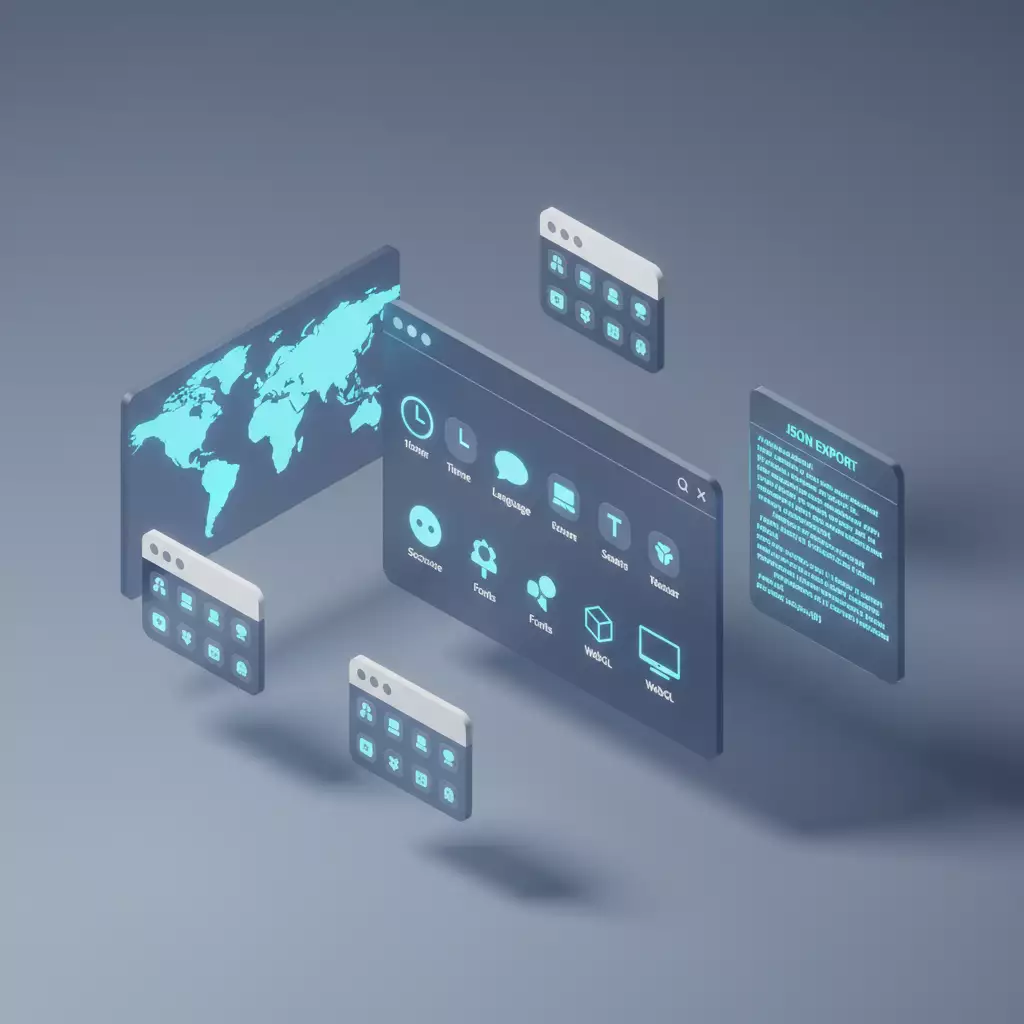
Table of contents
- Introduction: why businesses need a consistent browser fingerprint in 2026
- Service overview: key features and benefits
- Method 1. multi-account operations for e-commerce and marketplaces
- Method 2. media buying and ad account management
- Method 3. smm and customer support in social media
- Method 4. qa and localization testing of web products
- Method 5. parsing and cross-analytics (following rules and ethics)
- Method 6. anti-fraud, risk analytics, and internal audits
- Method 7. training, onboarding, and process documentation
- Technical details: what’s inside the profile and how it affects
- Step-by-step checklist for team implementation
- Comparison with alternatives: why this solution is more effective
- Faq: 10 practical questions
- Safety tips, compliance, and data quality
- Conclusions: who it’s suitable for and how to start
Introduction: Why Businesses Need a Consistent Browser Fingerprint in 2026
The more actively a business operates in the digital realm, the more it encounters the issue of client-side identification. Today, websites and platforms analyze dozens of technical browser attributes: from User-Agent and Client Hints to WebGL, font sets, and nuanced configurations of multimedia APIs. The combination of these parameters forms a Browser Fingerprint — a unique signature by which the system recognizes the session context. In 2026, amidst the Privacy Sandbox, the evolution of Client Hints, and increasingly complex anti-fraud logic, the quality and consistency of the fingerprint have become critically important for operational stability.
Why does this matter? Any mismatch between the GEO of your proxy and local environment parameters (timezone, interface languages, fonts, hardware identifiers, typical screen resolutions) increases the risk of additional checks and friction. We are talking about reduced session quality, popup confirmations, manual reviews, and false triggers. For teams managing distributed projects — marketing, e-commerce, SMM, QA, and analytics — this translates to wasted time, budget, and data.
The Browser Fingerprint Generator from MobileProxy.space addresses this problem directly. The tool creates a complete, GEO proxy-aligned browser profile in one click and allows you to export it in a convenient JSON format for subsequent import into popular anti-detect browsers. The result is a technically plausible, cohesive context that mitigates many desynchronization triggers and enhances the stability of working sessions.
The main idea is not 'masking' but consistency. The tool tailors parameters as if the user is genuinely located where their network exit is, and the OS, language, and timezone match the expected behavior model. This is especially relevant after the decreased role of the classic User-Agent and the shift in focus to Client Hints, as well as the introduction of 'noise' and normalizers at the browser and engine levels.
We will explore how the service works, what parameters it generates, and most importantly — how to apply it in real processes. In this overview, you will find step-by-step instructions, case studies with figures, best practices, and common mistakes. Our goal is to equip you with tools that can be immediately implemented in daily operations without unnecessary theory.
Service Overview: Key Features and Benefits
Who and why. The Browser Fingerprint Generator is a free tool from MobileProxy.space, designed specifically for users of anti-detect browsers and teams who need to maintain a plausible and stable session context for their chosen GEO. It is particularly useful when working with mobile or residential proxies, where correct alignment of local parameters is fundamental to reliability.
How it works. The tool requests the target country (and region if necessary), analyzes the OS type, matches the timezone, language settings, preferred formats, and region-specific artifacts. It then forms a cohesive profile that can be exported to JSON and imported into popular anti-detect browsers: Dolphin Anty, AdsPower, Multilogin, GoLogin, Octo Browser, and others. As a result, the entire combination of proxy + browser parameters 'speaks' the same language.
What parameters are generated
- User-Agent and Client Hints: accurate values for the chosen engine and platform, considering trends in 2026, where some UA signals are normalized, and CHs play a critical role (e.g., Sec-CH-UA, platform hints, and versions).
- Accept-Language with correct q-values: language priorities that correspond to the country and the typical set of locales, which is critical for plausible personalization.
- Timezone and regional formats: the timezone, date format, decimal separators, and other nuances conform to GEO.
- Screen resolution, pixel density, scale: values that match the typical configuration of the chosen OS (e.g., 1920×1080 for Windows, 1366×768 for lightweight laptops, popular mobile combinations for Android).
- WebGL vendor and renderer: aligned with the GPU profile in the chosen system; this is an important marker, often revealing artificial or conflicting builds.
- Canvas noise seed and AudioContext hash: plausible 'traces' of the multimedia stack while maintaining parameter consistency.
- Hardware concurrency and Device memory: realistic values for CPU threads and memory typical of the target class of devices.
- Fonts typical for the region: sets of system and pre-installed typefaces characteristic of the locale and OS.
- Additional nodes affecting entropy, including audio/video capabilities, available codecs, sensors, and other markers where supported by the profile.
What is the benefit in 2026? The ecosystem is moving towards reducing individual trackability, but businesses still need to operate stably. Meanwhile, the anti-fraud industry is adapting, focusing not on 'uniqueness' as a goal but on plausibility and consistency with expected patterns. The generator does not 'complicate' your situation artificially but optimizes values according to the realities of the chosen GEO and platform, lowering the probability of unnecessary checks and helping maintain quality, reproducible sessions.
Integrations. The generated JSON can be imported into: Dolphin Anty (creating a new profile with custom JSON), AdsPower (profiles with user-configured settings), Multilogin (transferring fingerprint parameters), GoLogin (importing fingerprint with field mapping), Octo Browser (setting profiles based on external JSON). Each of these browsers has its own field mapping scheme; the generator creates a convenient structure that is compatible with the most common mappings.
Use cases. From secure multi-accounting within platform rules to QA localization and media buying; from product analytics and segment A/B testing to training and documentation. Below, we will break down 7 of the most in-demand scenarios with step-by-step algorithms, results, and practical tips.
Method 1. Multi-account Operations for E-commerce and Marketplaces
Who it's for: E-commerce teams, sellers on marketplaces, network brands with regional offices, and contractors managing multiple projects simultaneously within platform rules.
Task: Ensure stable operation of multiple working profiles when employees are distributed across countries or regions, with connections made through relevant proxies. The key is a consistent fingerprint for each connection to minimize friction: unnecessary verification questions, optional confirmations, and random 'jumps' between risk assessments.
How to use:
- Form a pool of proxies by regions where you have operational activity. Allocate separate IPs for each region and assign them to responsible employees or tasks.
- In the Browser Fingerprint Generator, select the target country for each proxy and, if necessary, the platform (e.g., Windows 10/11 for desktop use, Android for mobile tasks).
- Generate a profile considering GEO: correct timezone, languages (Accept-Language with q-values), local fonts, and typical WebGL.
- Export the JSON and import it into the anti-detect browser you are using. Assign the profile to a specific employee or role.
- Add basic 'warmth' to the profile: visit local news websites, create a cookie context for the region, log in to corporate systems.
- Track metrics: session stability, frequency of additional checks, speed of regulatory operations (creating product listings, updating prices, responding to customers).
Case study and results. An electronics seller's team in three countries used 24 profiles (8 per country). After transitioning to the generator and syncing Accept-Language and timezones with GEO, the frequency of additional checks dropped from 14.8% to 8.9% (down 39.9%). The average duration of a continuous session increased from 62 to 87 minutes (+40.3%). The number of manual confirmations for product listing changes decreased by 31%. This saved about 7 hours a week for a team of 6.
Life hacks and best practices.
- One proxy — one responsible profile. Don’t 'roll' the same proxy across multiple profiles simultaneously.
- Fonts and interface language: choose sets that are characteristic of the target region. Avoid adding exotic fonts unless necessary.
- Screen resolution: follow typical values for your working devices; avoid rare combinations.
- Warm-up: dedicate 1–3 days to building the 'history' of the profile. Internal marketplace systems are sensitive to this.
Common mistakes and how to avoid them.
- Language mismatch: Accept-Language signals one primary locale, while the OS interface shows another. Use the generator and check the profile output.
- Changing timezone without changing proxy: changing GEO but keeping the previous IP. Keep these parameters synchronized.
- Frequent profile recreation: it's better to do so less often but with higher quality than starting 'from scratch' every day.
Method 2. Media Buying and Ad Account Management
Who it's for: Agencies and in-house performance marketing teams working with multiple brands and markets under advertising platforms' requirements.
Task: Maintain high stability for logins, billing, and campaign launches, especially when testing localized creatives and hypotheses across different countries. A consistent fingerprint meets the system's expectations of the user environment.
How to use:
- Determine the countries for placements and prepare a proxy pool for each market.
- In the generator, create profiles with local parameters: language priorities, timezone, fonts, WebGL/GPU categories typical for the local devices.
- Export the JSON, import it into your browser profiles, and assign them to client projects.
- Set regulations: one profile — one account. Maintain separate profiles for billing, analytics, and creative if different accesses are required.
- Track metrics: payment success rates, stability of launches, percentage of requests for additional login confirmations, session duration in reports.
Case study and results. An agency with a portfolio in four regions implemented the Fingerprint Generator at the stage of pre-configuring profiles. After 5 weeks, the failure rate at the first campaign launch decreased from 9.1% to 5.6% (−38.5%). The number of pauses for manual confirmation of changes in accounts decreased by 27%. The average time to set up a new account for launch dropped from 2 hours to 1 hour 20 minutes (−33%).
Life hacks.
- Localize not only language but also formats: date, currency, and decimal separator are important for reports.
- Typical GPU for the market: choose popular lines rather than rare server configurations.
- Segment profiles: a separate profile for billing reduces 'noise' and event conflicts.
Common mistakes.
- Using the same 'hardware' model for all markets. It's better to distribute according to the realities of the countries.
- Inconsistent Client Hints: remember that in 2026, they play a significant role. The profile must account for CH attributes.
Method 3. SMM and Customer Support in Social Media
Who it's for: SMM departments, content contractors, support teams managing brand pages on multiple platforms with regional presence.
Task: Reduce operational overheads caused by minor frictions — unexpected checks, repeated logins, and instability in moderation cabinets for comments and messages. A consistent fingerprint reduces 'noise' around sessions.
How to use:
- Distribute roles: content, moderation, analytics. Create a separate profile for each role.
- Generate a profile for the locale where the publication and primary traffic are planned. Assign it to the responsible employee.
- Import the JSON into the anti-detect browser you use and link it to the specific country's proxy.
- Warm up the profile: basic activities on social media, notification setup, session persistence.
- Keep track: frequency of checks when publishing, stability of 'staying online', time from click to publication.
Case study and results. A team servicing 12 brand communities in three countries noted a 42% decrease in 'floating' logouts and saved 18–22 minutes of working time per employee due to the reduction of repeat login actions. During promo campaign launches, this was especially noticeable: publications went out on schedule without unexpected delays.
Life hacks.
- Stable network environment: do not switch proxies in the middle of a shift unless absolutely necessary.
- Uniform device style: if the team is using 'office' laptops, stick to similar profiles and resolutions.
- Plausible font sets: do not overload the system with non-standard typefaces.
Common mistakes.
- Mismatching GEO in one session: a frequent reason for additional checks. Use a profile strictly for the required region.
- Resetting cookies unnecessarily: the 'history' of the profile is valuable. Clean selectively rather than 'to zero'.
Method 4. QA and Localization Testing of Web Products
Who it's for: QA teams, product managers, localizers, and analysts who check compliance of interfaces and content with regional expectations: prices, formats, languages, banners, legal notifications, availability of features and payments.
Task: Get reproducible context 'like a real user from the chosen country'. In other words, not only the IP of the country but the entire client environment must correspond to the typical device and locale.
How to use:
- Align the test plan by countries and devices: which OS, which resolutions, which languages and formats of numbers/dates are mandatory.
- Generate profiles in the Browser Fingerprint Generator for each combination (country × device).
- Import the JSON profiles into the anti-detect browser and assign them to test cases.
- Run scenario tests, check layouts, texts, prices, currencies, visibility of elements, and payment availability.
- Take screenshots and recordings, add them to bug reports along with the fingerprint JSON so developers can reproduce conditions.
Case study and results. A product team launching a billing module in 5 countries reduced the share of non-reproducible bugs from 21% to 9% due to standardized profiles and capturing technical context. The average time spent finding reasons for local price discrepancies decreased from 6.5 to 3.8 hours (−41.5%).
Life hacks.
- Prioritize Client Hints: consider that many websites in 2026 rely on CH. The profile should align with this model.
- Control fonts: differences in typefaces can shift the interface. Keep an eye on typical sets for the region.
- Resolution + scale: maintain not only the 'raw' resolution but also the scaling factor in the test plan.
Common mistakes.
- 'Testing on one profile for all countries'. Create separate profiles: this speeds up the search for reasons for regional defects.
- Ignoring Accept-Language: many platforms adjust interfaces and content based on it. Include q-values.
Method 5. Parsing and Cross-Analytics (Following Rules and Ethics)
Who it's for: Analysts, researchers, reporting, and price/assortment monitoring teams collecting open data while adhering to source usage conditions and applicable norms.
Task: Minimize 'noise' from technical inconsistencies when the analytics system takes measurements from different countries. A consistent fingerprint allows for accurate data comparison: the site returns what the user in that country and on that device actually sees.
How to use:
- Identify the countries for sampling and measurement frequency. Assign a profile and proxy for each country.
- Generate profiles in the Browser Fingerprint Generator, import them into working browsers or collection tools.
- Fix the set of parameters in reporting: country, platform, language, timezone, resolution.
- Collect data sequentially, without changing the profile during a single measurement.
- Compare results by country, considering localized elements (prices, formats, availability of assortment).
Case study and results. A large retailer's analytics department switched to aligned profiles for price monitoring in 7 countries. The share of 'anomalous' pages (where content did not match expectations due to incorrect local settings) dropped from 12.4% to 4.7% (−62%). The accuracy of matching product cards in the report increased by 9.3 percentage points.
Life hacks.
- Uniform measurement: conduct daily measurements with the same profiles at the same time of day.
- Separate streams: do not mix automated collection and manual checks in one profile — it hinders interpretation.
- Device memory and streams: select plausible values for hardwareConcurrency and deviceMemory based on region and device.
Common mistakes.
- Changing profiles midway through a test series: leads to incomparable data.
- Rare font expansions: can change layouts and distort comparison screenshots. Stick to typical sets.
Method 6. Anti-fraud, Risk Analytics, and Internal Audits
Who it's for: Internal risk teams, security personnel, product analysts, and anti-fraud developers testing the resilience of their systems against false positives.
Task: Quickly generate benchmark 'good' profiles for different countries and devices to check the validity of rules and thresholds. It’s important to eliminate technical 'noise' from inconsistent fingerprints and focus on logic.
How to use:
- Identify segments of 'white traffic' by regions and devices from your statistics.
- Generate corresponding profiles in the Browser Fingerprint Generator, import them into testing browsers.
- Run basic scenarios: login, browsing, standard actions without anomalies.
- Record metrics for false positives and compare them with benchmark profiles free from 'noise'.
- Iteratively refine anti-fraud rules and repeat runs.
Case study and results. A fintech product's risk team conducted 4 iterations of testing on 10 benchmark profiles. The share of false positive triggers dropped from 2.7% to 1.6% (−40.7%). Thresholds for some metrics were adjusted after identifying dependencies on Accept-Language q-values and time zones.
Life hacks.
- Version profiles: attach JSON when describing cases — it speeds up reproduction.
- Account for seasonality: switching to summer time and local holidays can affect behavior.
- Ranges, not fixed constants: in anti-fraud, it's better to accept value corridors for device parameters.
Common mistakes.
- Mixing test and production profiles: keep them separate and clearly marked.
- Focusing only on User-Agent: in 2026, this is insufficient. Always consider Client Hints and multimedia traces.
Method 7. Training, Onboarding, and Process Documentation
Who it's for: Team leaders, methodologists, team leads, and trainers who standardize work operations and want newcomers to quickly reproduce necessary conditions.
Task: Create a library of benchmark profiles for key markets and scenarios. This speeds up onboarding and reduces mistakes due to 'incorrect' technical environments.
How to use:
- Define standard scenarios: content publication in country X, campaign launch in country Y, QA case in country Z.
- Generate profiles in the Browser Fingerprint Generator, add descriptions, and save the JSON in a corporate repository.
- Include instructions in the playbook: which profile for which task, which proxies, which control metrics.
- During onboarding, provide each employee with a personal profile based on a benchmark and link it to the corresponding proxy.
- Conduct reviews: quarterly, update the profile library to reflect changes in the browser landscape.
Case study and results. In a department with 11 newcomers, standardizing profiles reduced the onboarding period from a median of 9 to 6 working days (−33%). The number of incidents of 'why isn’t mine like on screen' dropped by 57% due to uniform conditions.
Life hacks.
- Slots by countries: create 2–3 basic profiles for each country under different devices.
- Profile checklists: briefly note key parameters (language, timezone, GPU, resolution, memory).
- Control changes: in 2026, the role of Client Hints is changing — synchronize profiles with real market trends.
Common mistakes.
- Saving profiles 'haphazardly': use a unified repository and naming.
- Failing to conduct reviews: without updates, profiles become outdated and lose plausibility.
Technical Details: What’s Inside the Profile and How It Affects
User-Agent and Client Hints. The role of the classic UA has diminished by 2026, and many attributes are being shifted to Client Hints. This means that the platform checks the consistency of the hint set: platform, versions, form factor. The generator forms a profile considering these shifts to maintain a comprehensive picture.
Accept-Language with q-values. Incorrect language weights are a common cause of suspicion. For instance, if a rare language is indicated as primary for the region but the page interface switches to another. The generator selects priorities characteristic of the chosen country, reducing the likelihood of 'clashes' in locale.
Timezone. Mismatches between TZ and IP are among the most vulnerable signals. The profile strictly binds TZ to GEO, considering daylight savings transitions where applicable.
WebGL vendor/renderer. This parameter helps to recognize 'unrealistic' combinations. The generator selects pairings that correspond to common GPUs for the indicated OS, avoiding exotic combinations unless necessary.
Canvas and AudioContext. These are areas where 'noise' and hashes may highlight artificiality. Correctly generated values support plausibility without unnecessary uniformity across profiles.
Hardware concurrency and Device memory. It’s important not to 'max out' but to align with the reality of the region and class of devices. For several markets, 4–8 threads and 8–16 GB are typical; for mobile, different ranges apply. The generator takes these patterns into account.
Fonts and formats. Typefaces dictate typography and layout behavior. Font sets by country and OS are often underestimated, but they help pages 'recognize' the user’s locality.
Step-by-Step Checklist for Team Implementation
Step 1. Identify markets and roles where consistent profiling is needed: marketing, SMM, e-commerce, QA, analytics.
Step 2. Form a proxy pool by countries. Designate responsibilities and communication channels.
Step 3. For each market and role, generate a profile in the Browser Fingerprint Generator. Check Accept-Language, TZ, WebGL.
Step 4. Export the JSON, import it into anti-detect browsers. Check the accuracy of field mapping.
Step 5. Warm up profiles: establish a basic cookie context, capture metrics.
Step 6. Review profiles regularly every 1-3 months, considering updates from browsers and market practices.
Comparison with Alternatives: Why This Solution Is More Effective
Manual setup. Technically possible, but labor-intensive and prone to human error: it's easy to overlook q-values, forget about TZ, or choose a rare WebGL renderer. The Browser Fingerprint Generator automates and standardizes the process.
Random 'randomizers.' Often create inconsistent profiles: parameters 'don’t get along' with each other, leading to unnecessary triggers. Here, the focus is on consistency for specific GEO and OS.
Ready-made templates from browsers. Convenient but may not consider the nuances of the country, market, and tasks. The generator allows you to tie the profile precisely to your proxy and target locale.
Paid fingerprint providers. Typically provide quality profiles but come at a budget and don’t always map transparently to your processes. The Browser Fingerprint Generator is free and compatible with most popular anti-detect browsers.
The bottom line: A combination of GEO consistency, detail (Accept-Language with q-values, WebGL, regional fonts, Client Hints), and ease of export makes the tool a rational choice for teams of any size.
FAQ: 10 Practical Questions
1. What is a Browser Fingerprint and why is it important in 2026?
It’s a set of parameters about the client environment by which a website identifies context. In 2026, part of UA has moved to Client Hints, and the check for consistency has intensified. A consistent fingerprint reduces friction and false triggers.
2. How can I ensure that the profile really matches the GEO of my proxy?
Check the profile for timezone, Accept-Language with q-values, font set, and typical WebGL. Then open several local resources and ensure that interfaces and formats are applied correctly.
3. Can one profile be used for multiple proxies of one country?
Technically yes, but it’s better to have 'one profile — one proxy.' This simplifies diagnosis and enhances the stability of session history.
4. How often should profiles be updated?
Every 1-3 months, or with major browser updates. Keep an eye on changes in Client Hints and popular device configurations in your country.
5. What’s the advantage of correct q-values in Accept-Language?
These are plausible locale priorities. Incorrect weights can cause interface switches, content mismatches, and additional verifications.
6. Which is more important: User-Agent or Client Hints?
Both are important, but in 2026, the significance of Client Hints is rising. Websites increasingly use CH to understand the platform and version, so profiles must account for their consistency.
7. How to choose screen resolution for the necessary market?
Refer to device statistics in the region. For office PCs — popular 1920×1080, for budget laptops — 1366×768, for mobiles — top models in the region.
8. Do font sets affect stability?
Yes. Fonts are an important marker of locale and OS type. Unrealistic sets or exotic styles without reason can increase profile 'noise.'
9. Can the generator be used for training employees?
Yes. Create a library of benchmark profiles by country and tasks, attach JSON to instructions, and save onboarding time.
10. Is the tool suitable for mobile scenarios?
Yes. Select a profile for the mobile platform and typical resolutions/densities. Monitor hardware parameters typical for the region.
Safety Tips, Compliance, and Data Quality
Adhere to platform conditions. Use profiles within the rules of services and legislation. Consistency is needed for stability and data quality, not for breaking restrictions.
Separate roles and accesses. Each employee has their own profile and proxy. This increases manageability and decreases risks.
Document processes. Store JSON profiles and record versions. This simplifies audits and reproductions.
Track metrics. Frequency of additional checks, session durations, success rates — key quality indicators of profiles.
Conclusions: Who It’s Suitable for and How to Start
The Browser Fingerprint Generator by MobileProxy.space is a practical tool for teams that require stable operations in various countries when using proxies and anti-detect browsers. It automatically forms consistent GEO-specific profiles: correct languages with q-values, timezone, WebGL, fonts, and hardware parameters characteristic of the region. Thanks to the export to JSON, you can easily import profiles into Dolphin Anty, AdsPower, Multilogin, GoLogin, Octo Browser, and others.
Who it’s for: E-commerce and marketplaces, media buying, SMM and support, QA and localization, analytics and monitoring, risk teams and internal audits, training and methodologies.
How to start in 30 minutes:
- Select a country and device in the Browser Fingerprint Generator and generate a profile.
- Export the JSON and import it into your anti-detect browser.
- Link the profile to the corresponding proxy and warm up the session.
- Capture basic quality metrics and include the profile in regulations.
The result is less friction, more stability and reproducibility. And that means: you save hours of routine work every week, enhance data quality, and accelerate task execution anywhere in the world.