Mobile Proxy Manager Updated: Quick Control of HTTP and SOCKS5 Proxies Right in Your Browser
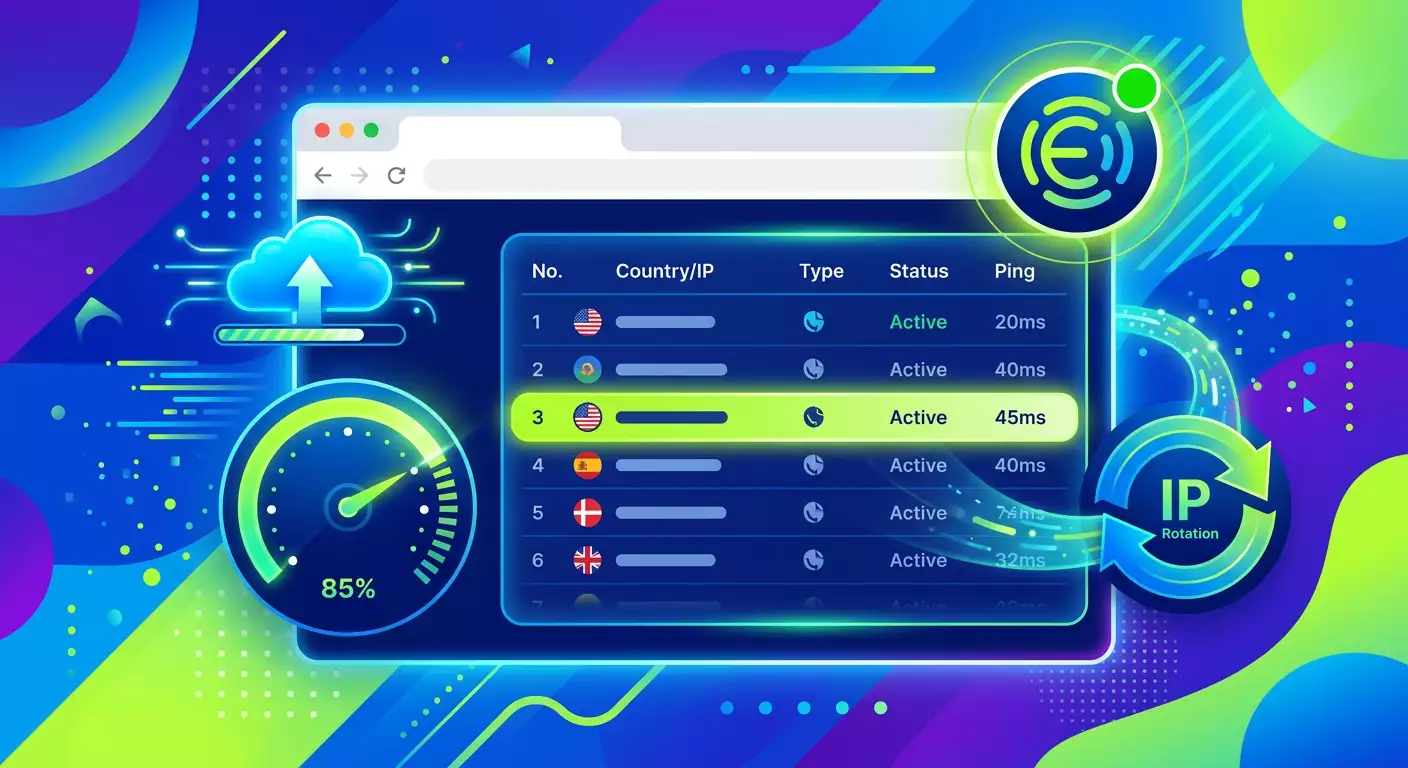
Table of contents
- Introduction
- What’s new
- Context and importance: why this matters now
- Key updates and features: from “one click” to deep customization
- Use cases: how to maximize benefits
- Painless exports: 20+ formats and presets for anti-detect platforms
- Import: a smart parser that understands your data
- Cloud and backups: peace of mind for your data
- Design, localization, and usability: quick to understand, easy to use
- Security and privacy: control remains with you
- Comparison: how it was before and how it is now
- Practical tips: how to get started quickly and not miss out
- Faq: quick answers to the main questions
- Call to action: start today and experience the difference
Introduction
We have exciting news for everyone who works with proxies in their browser daily: we have launched a major update to Mobile Proxy Manager — an advanced extension for managing HTTP and SOCKS5 proxies right from your toolbar. Everything is now faster, clearer, and smarter: one click to enable, built-in health checks, automatic IP rotation, flexible exports in over 20 formats, and cloud backups with secure synchronization. The extension is available for the most popular browsers: you can install it from the official Chrome Web Store and Firefox Add-ons repository.
If you're involved in testing, research, managing multiple work environments, verifying ad campaign quality, e-commerce tasks, or analytics, this update will save time, reduce operational risks, and organize your proxies. Let’s dive into what has changed and how to get the most out of it today.
What’s New
We have redesigned Mobile Proxy Manager to turn it into a full-fledged proxy management hub for browsers. In the new version, you’ll find everything needed for consistent, secure, and fast operation:
- One click to enable/disable proxy. Supports HTTP and SOCKS5 with authentication.
- Green status indicator on the extension icon and highlighting of the active entry in the table.
- Built-in Health Check with results on availability, response time in milliseconds, and current external IP.
- Automatic IP rotation for supported proxies with instant updates (geo, provider, address) through API.
- Auto-check on enable, ensuring you are always connected.
- Export in 20+ formats for anti-detect platforms, systemic profiles, and universal templates (JSON, CSV, text).
- Smart import from URL strings, standard notation, CSV, TSV, and JSON with auto-format detection.
- Cloud backups and synchronization via a secure API token with your mobileproxy.space account.
- Flexible management: table view, manual entry, tags, site exceptions, bulk operations.
- 7 interface languages and modern design with a dark theme highlighting statuses.
- Privacy and security: local data storage, no tracking, managed access to the cloud.
- Technical reliability: Manifest V3, Service Worker with keep-alive, error recovery, and state preservation.
As a result, Mobile Proxy Manager becomes a single space where you manage your entire proxy infrastructure without switching between windows and third-party tools.
Context and Importance: Why This Matters Now
By 2026, proxies will no longer be a niche tool. Stable connections, clear separation of environments, and transparent control of network parameters are essential in numerous scenarios: from ensuring the quality of web applications and analytics to supporting distributed teams and careful handling of platforms. Companies and specialists are increasingly choosing solutions that:
- save time and reduce manual efforts;
- lower risks through connection checks and status monitoring;
- operate in browser, where most daily activities occur;
- integrate flexibly into existing export and import processes;
- ensure privacy and compliance with internal security policies.
The updated Mobile Proxy Manager meets all these demands. We have focused on stability and manageability because experience shows that even small improvements in operational routines accumulate into a significant effect at team or project scale. Visual indicators and automation help maintain focus on tasks rather than settings.
Key Updates and Features: From “One Click” to Deep Customization
One Click Instead of Five Actions
One-Click Proxy Switching means activating proxies no longer requires tricky maneuvers: just select an entry in the table, click, and all browser traffic routes through the chosen proxy. Supports HTTP and SOCKS5 with a full set of authentication parameters.
Always Know What’s Active
Real-time status — a green badge on the extension icon, the name of the active proxy in the header, and a green highlight of the corresponding row in the table. This is especially helpful when you’re quickly switching environments on the fly without needing to memorize what’s enabled.
Built-in Health Check
Click “Check,” and you’ll receive a clear report: node availability, response time in milliseconds, and current external IP. The color-coded indicator instantly tells you if everything is in order. There’s no need to open external sites or run separate utilities.
Automatic IP Rotation
If your proxy supports rotation, in Mobile Proxy Manager, it’s just one button. After rotation, the extension automatically pulls updated metadata from the API: geo, provider, address. You always see the current picture and eliminate errors associated with outdated information.
Auto-check on Enable
When you enable a proxy, the extension will recheck the connection after a short pause. This way, you immediately know if everything is functioning as intended and don’t waste time on manual diagnostics.
Use Cases: How to Maximize Benefits
- Testing and QA of web products. Quickly switch proxies to check geo-dependent features, performance, and scenario correctness.
- Marketing and analytics. Control environments for accurate verification of placements, tracking impressions, and working through ad accounts within internal policies and platform regulations.
- E-commerce and operations teams. Isolate workflows by regions, tasks, or roles; apply tags and domain exclusions for careful routing.
- Research and training. Manage access to control environments, collect response metrics, and clearly monitor network status.
- Multi-accounting and teamwork. Set up profiles for each task, use exports in formats supported by your applications and tools, and quickly share configurations within the team.
In all cases, Mobile Proxy Manager helps you work faster, more securely, and transparently, while supporting a careful approach to data policy and platform compliance.
Painless Exports: 20+ Formats and Presets for Anti-Detect Platforms
Export is the heart of integrations. We have implemented four categories of formats to cover as many scenarios as possible without manual editing:
- Antidetect Browsers. Ready presets for popular anti-detect platforms. Formatting occurs exactly in the form expected by the target application — just copy or import.
- Universal Formats. Customizable text with variables (login, password, address, port, type), JSON arrays, and CSV with headers. You can create any template for any internal process.
- System Configs. Profiles and auto-configuration scripts for the tools and extensions you already use.
- User-defined Templates. Create your own presets, save, and reuse. Four starter options are built-in to help you get started faster.
In all formats, optional fields can be added: IP rotation links, proxy IDs, geo data. Before export, there’s a live preview, followed by one-click copying or file download. This eliminates routine work and reduces the risk of errors when exchanging configurations within the team.
Import: A Smart Parser That Understands Your Data
Import proxies your way — the extension will automatically detect the format:
- Standard entry format host:port:login:pass.
- URL strings with protocol prefix.
- CSV and TSV with headers.
- JSON arrays.
- Drag and drop .txt, .csv, and .json files straight into the extension window.
The algorithm recognizes fields and types on its own, saving you minutes on each operation. If you’re working with hundreds of entries, this is especially noticeable.
Cloud and Backups: Peace of Mind for Your Data
Connect your mobileproxy.space account using a secure API token and receive:
- Proxy list synchronization from the service — without manual copying.
- Cloud backups with history by date.
- Preview of backup content before restoration.
- One-click restore of any previous version.
- Smart merging: existing proxies are updated, new ones added without duplicates.
We deliberately made cloud functions optional: you decide where to store data and when to enable synchronization. Nothing goes to the cloud without your explicit action and token settings.
Design, Localization, and Usability: Quick to Understand, Easy to Use
We focused heavily on UX to ensure important elements are visible and actions are intuitive:
- Manual entry with all fields: tag, address/host, ports, login/password, IP rotation link, domain exclusion list.
- Table mode with sorting, built-in search via Ctrl+F, and data masking for privacy.
- Record settings: excluded sites, individual links for IP rotation, tags for quick identification.
- Bulk operations: import hundreds of proxies at once and export a full list in one click.
- 7 interface languages: Russian, English, Turkish, Spanish, Chinese, Polish, and Thai. Switching is right in the extension header, with over 240 lines localized per language.
- Modern graphics: dark theme, neat glassmorphism, smooth transitions, Montserrat fonts for UI and JetBrains Mono for technical content, color-coded statuses throughout the application.
The result is that you see exactly what’s important and make fewer unnecessary clicks. In critical areas, the interface guides rather than distracts.
Security and Privacy: Control Remains with You
We designed Mobile Proxy Manager with the principles of data minimization and transparency in mind:
- All proxy data is stored locally in your browser.
- No analytics or tracking: the extension does not send behavioral data to third parties.
- Cloud optionality: synchronization is only enabled after entering the API token.
- Proxy authentication is securely performed through the native browser webRequest API.
- Exclusion lists ensure that important domains never go through the proxy unless you want them to.
This way, you comply with internal regulations, control where data goes, and reduce the risk of human error.
Comparison: How It Was Before and How It Is Now
- Enabling Proxy. Was: several transitions through settings. Now: one click with a clear visual cue.
- Checking Functionality. Was: third-party services and manual checks. Now: built-in Health Check with milliseconds and external IP.
- IP Rotation. Was: separate scripts and the risk of "forgetting to update data". Now: IP change with one click and auto-synchronization of metadata from the API.
- Export/Import. Was: format mismatches, manual editing. Now: 20+ export formats, customizable templates, smart imports with auto-detection.
- Backups. Was: local files and the risk of loss. Now: cloud versions with history and one-click restoration.
- Scaling. Was: manual operations on one entry. Now: bulk import/export, convenient search and sorting in the table.
In total, this translates to dozens of hours saved each month and predictable processes that are especially valuable in team work.
Practical Tips: How to Get Started Quickly and Not Miss Out
- Install the extension from the official catalog for your browser. Mobile Proxy Manager is available in the Chrome Web Store and Firefox Add-ons repository.
- Add your first entry: specify a tag, address/host, port, type (HTTP or SOCKS5), and, if needed, credentials. Save it.
- Enable the proxy with one click and wait for the auto-check: make sure the indicator is green, and the Health Check shows a valid external IP and response time.
- Set up domain exclusions for sites that shouldn't go through the proxy. This enhances security and prevents accidental requests in sensitive areas.
- Open export and choose a format suitable for your tool. Check the preview, then copy or download the file.
- Import an existing pool through Smart Import: just paste the strings or drag the file. The extension will detect the format and suggest fields.
- Connect the cloud if needed: generate an API token in your mobileproxy.space account and activate synchronization to always have an up-to-date copy.
- Optimize the interface: enable data masking in the table, set up auto-refresh for the tab when changing proxies, and choose the interface language.
- Check IP rotation on a couple of entries to ensure your workflow matches your SLA and internal regulations.
These steps will take 10-15 minutes and give you a fully functional environment with clear quality control.
FAQ: Quick Answers to the Main Questions
What protocols are supported?
Mobile Proxy Manager supports HTTP and SOCKS5 with full authentication options. You can switch between types with one click.
Can I quickly see if the proxy is active?
Yes. A green indicator appears on the extension icon, the name of the active proxy is shown in the header, and the corresponding row in the table is highlighted in green.
How does the health check work?
Health Check performs a connection test and shows three key parameters: availability, response time in milliseconds, and current external IP. The result is color-coded for quick understanding.
What is IP rotation and how to enable it?
If your proxy provider supports IP change, just click "Change IP" in Mobile Proxy Manager — it’s one click. After rotation, the extension automatically updates geo, provider, and address through the API.
What’s the difference in exporting universal formats?
Universal export allows you to create any template based on variables (login, password, address, port, type), as well as obtain JSON and CSV. Plus, you can add optional fields and save custom presets.
Where is my data stored?
By default, locally in your browser. No third-party sending or tracking. Cloud backups and synchronization are available at your request and only after entering the API token.
Which browsers are supported?
The extension is built on Manifest V3 with Service Worker and supports Chrome 88+ and other Chromium-based browsers. A version for Firefox is also available through the official add-ons repository.
Call to Action: Start Today and Experience the Difference
The update is already available. Install Mobile Proxy Manager from your browser's official catalog, enable the first proxy with one click, check the Health Check, and configure the export to fit your processes. Connect synchronization with mobileproxy.space to ensure the safety and relevance of configurations. Don’t delay — seize the time, transparency, and reliability benefits right now.
Why You Should Act Without Delay
- Quick start: 10-15 minutes for initial setup.
- Instant time savings: fewer manual actions in daily routines.
- Confidence in quality: built-in Health Check and transparent statuses.
- Growth flexibility: 20+ export formats, smart import, and cloud backups.
Mobile Proxy Manager gives you complete control over proxies in a user-friendly interface designed for professionals who value speed, security, and predictability.