n8n with Proxies for Marketing and Business: Overview, Use Cases, Instructions
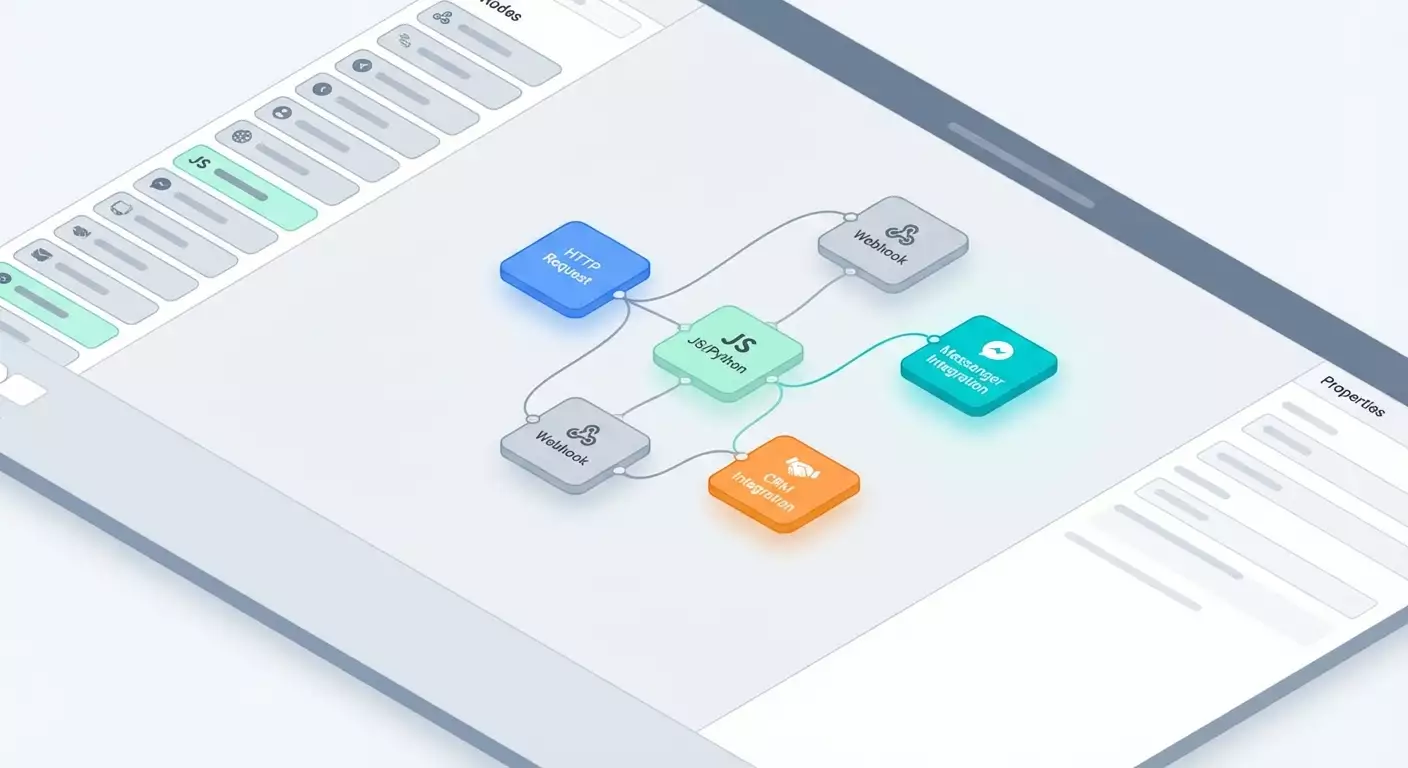
Table of contents
- Introduction: what problem does n8n solve?
- Service overview: key features and benefits
- Method 1: competitor price monitoring via proxies with notifications
- Method 2: review parsing, sentiment analysis, and manager alerts
- Method 3: lead enrichment and smart crm routing
- Method 4: seo research: serp parsing via proxies and automatic briefing
- Method 5: social listening: monitoring mentions and instant reactions
- Method 6: finances and back office: bill reminders and payment verification
- Method 7: no-code etl: consolidating data from saas to storage
- Method 8: content operations: from idea to publication with quality checklists
- Method 9: website reputation management: uptime, speed, and technical monitoring
- Comparison with alternatives: why n8n is better for proxy tasks and control
- Faq: 10 practical questions
- Conclusions: who it’s suitable for and how to get started
n8n is an open-source automation platform with a visual no-code builder, support for HTTP/SOCKS5 proxies, and flexible logic. It's one of the few systems that seamlessly handles marketing, sales, analytics, and operations tasks without limits on the number of scenarios in the Community version. You create workflows: collecting data via proxies — filtering — enrichment — saving to CRM/Google Sheets — notifications on Telegram/Slack — error monitoring. And all this is done without coding, yet there’s an option to add JavaScript or Python for fine-tuned control when necessary.
Introduction: What Problem Does n8n Solve?
Most teams share the same pain point: manual processes hinder growth. We copy competitor prices, compile reports, transfer leads, conduct quality control, and send reminders. Errors are inevitable. The speed is low. Consistency suffers. Tools like Zapier/Make.com help, but they quickly hit limits, rely on third-party servers, and rarely offer transparent network control—especially when parsing through proxies or choosing between HTTP and SOCKS5.
n8n removes these restrictions. You can self-host it or run it in the cloud, gaining access to a visual editor, 400+ ready-to-use integration nodes, proxy support in HTTP Requests, Webhook and Cron nodes for triggering, and Code/Python nodes for custom logic. Automations become resilient: you see what happens at each step, rerun, log, version, and scale them. This is an infrastructure for processes, not just a collection of connectors.
Service Overview: Key Features and Benefits
What Can n8n Do?
- Visual Builder: link nodes via drag and drop, configure parameters, branching, and error handling.
- HTTP Request with Proxies: set up HTTP or SOCKS5 at the node level, utilize proxy rotation for resilient parsing and bypassing blocks.
- 400+ Integrations: CRM, messengers, cloud storage, advertising and analytics platforms, databases, e-commerce.
- Webhook, Cron, Trigger Nodes: run scenarios based on events, schedules, or manually.
- JavaScript and Python: nodes for fine logic, transformations, enrichment, and validation.
- Composition and Control: IF, Switch, Merge, Split In Batches, Wait, Error Workflow, Set, Edit Fields — build complex branching, queues, and retries.
- Self-Hosted and Cloud: control infrastructure, privacy, network, and performance.
Business Advantages
- No Limits on Number of Scenarios: in the Community version, automate everything you need without escalating costs for each new flow.
- Network and Proxy Control: critical for parsing prices, reviews, SERP, and brand monitoring.
- Hybrid no-code/low-code Approach: start without code, add JS/Python at complex points.
- Transparent Debugging: view input/output, request statuses, and timestamps on any node.
- CI/CD Integration: store workflows in Git, version them, and transfer between environments.
- Reliability: retries, error handling, failure notifications, fallback branches.
When n8n Is Indispensable
- Parsing and monitoring with proxies where speed and resilience are crucial.
- Rapidly building ETL pipelines between SaaS, spreadsheets, and databases.
- Aggregating marketing sources and creating a single reporting window.
- Automating routine tasks: reminders, deadlines, SLA monitoring.
Method 1: Competitor Price Monitoring via Proxies with Notifications
Who and Why
Marketers, e-commerce professionals, category managers. The goal is to collect competitor prices daily, track changes, receive instant notifications, and quickly recalibrate offers.
How to Use
- Trigger: Cron every hour or daily at 9:00 AM.
- Data Source: HTTP Request with HTTP/SOCKS5 proxy enabled, user-agent, retries, and random delay settings.
- Extraction: depending on the format, apply HTML parse (via Code) or JSON parse.
- Filtering: IF for products in your range, Switch for different competitor sites.
- Saving: Google Sheets or a database—record the price, date, source.
- Comparison: Merge with the past snapshot, calculate the delta.
- Alerting: Telegram/Slack — if the change exceeds the threshold (e.g., 5%).
- Logging: a separate sheet/table for tracking HTTP errors, timeouts, captchas.
Example and Results
An electronics retailer (with 1200 SKUs) set up monitoring for 6 competitors. The average iteration time is 7 minutes, with a rotation of 20 residential proxies. In the first month, 184 price changes over 7% were identified. The team's response time was same day of the detection. After implementation, margins on 15 key SKUs increased by 2.3% due to accurate price positioning. Manual monitoring time was reduced by 18 hours per week.
Life Hacks and Best Practices
- Proxy Rotation: store the proxy pool in a separate sheet and select proxies in Code in a round-robin manner.
- Split In Batches: don't overload competitor sites with a single batch; split requests accordingly.
- Anti-ban Techniques: random User-Agent, delays of 1.2–2.4 seconds, retries with an exponential pause.
- Validation: filter out empty prices and unrealistic values (e.g., 0 or >10x).
- Sentinel Metrics: if a site registers >30% errors consecutively—enable an emergency pause for 2 hours and send an alert.
Method 2: Review Parsing, Sentiment Analysis, and Manager Alerts
Who and Why
Marketers, product managers, and support teams. Collecting reviews and automatically classifying sentiment helps respond promptly to negativity and boost NPS.
How to Use
- Trigger: Cron every 30 minutes.
- Review Collection: HTTP Request with proxy for public pages or native nodes if the platform has an API.
- Normalization: JS/Python to extract text, rating, date, author, link, language.
- Sentiment: Python node or AI node — assign polarity and confidence, add topic classification.
- Deduplication: Merge by hash text and timestamp, discard duplicates.
- Recording: Google Sheets, Notion, or a database for historical records.
- Alerts: Slack/Telegram when negativity exceeds confidence >0.75 and rating ≤3.
- Escalation: Webhook to Helpdesk/CRM for ticket creation.
Example and Results
An online education service collected 6,240 reviews in a quarter. Before implementing, they responded to negativity in an average of 42 hours. After implementing n8n, the time to first response decreased to 3 hours, and the rate of repeat negative reviews fell by 28%. The average rating on the platform increased from 4.2 to 4.5 in 2 months thanks to timely corrective actions.
Life Hacks and Best Practices
- Language Detection: auto-detect the language of the text and translate via a third-party API if necessary—then use a unified sentiment model for consistency.
- Topic Classification: additionally categorize by topics (price, delivery, interface) for prioritizing product tasks.
- Alert Boundaries: introduce a “quiet hour” to avoid late-night spam. Gather accumulated negativity and send it out in the morning with grouping.
- False Positive Control: for confidence between 0.5–0.75 — forward to analysts for review.
Method 3: Lead Enrichment and Smart CRM Routing
Who and Why
B2B sales and marketing. You take leads from website forms, automatically enrich company and contact details, evaluate quality, and route to the right team, reducing response time and increasing conversion.
How to Use
- Trigger: Webhook—connect form or website connector.
- First Validation: Set/Edit Fields — normalize phone, domain, role, traffic channel.
- Enrichment: HTTP Request to enrichment service (by domain and email) — use proxy if geographic information is needed.
- Scoring: JS/Python — calculate Lead Score (company size, position, region, interest, UTM data).
- Deduplication: search in CRM, Merge with the found record.
- Routing: IF/Switch — forward to SMB/ENT team or partners according to rules.
- Alerting: Slack/Telegram with lead card and next steps.
- Service Level: Wait for up to 15 minutes; if no action occurs — escalate to L2 and log the incident.
Example and Results
A B2B SaaS developer automated processing of 1,800 leads per month. The time from lead entry to manager assignment decreased from 2 hours to 3 minutes. Qualification conversion (SQL) rose by 14% due to accurate scoring and routing. 8% of leads are automatically routed to nurturance when scoring is low, saving sales resources.
Life Hacks and Best Practices
- Transparent Rules: store scoring rules in a table and load them into n8n to update without re-deploying workflows.
- Data Quality: use regex for phone and email validation, remove spaces and special characters.
- Directories: synchronize industries, countries, and job title synonyms for uniform analytics.
Method 4: SEO Research: SERP Parsing via Proxies and Automatic Briefing
Who and Why
SEO specialists and content marketers. The goal is to quickly analyze SERP, titles and subtitles, entity frequency, competitor templates, and generate briefs for copywriters.
How to Use
- Trigger: manually or Cron — weekly based on a keyword list.
- SERP Gathering: HTTP Request with proxy, client simulation, pagination, and IP rotation.
- Page Parsing: for top-10 URLs — load HTML via proxy, extract H1–H3, schema.org, tables, FAQ.
- Processing: JS/Python — extract entities, term dictionaries, density, and length.
- Brief: structure article, mandatory blocks, recommended length, list of linking requirements.
- Export: Google Docs/Sheets or CMS via API.
- Control: notify via Slack with key insights.
Example and Results
A content marketing agency reduced briefing time from 90 minutes to 12–15 minutes without sacrificing quality. For 50 queries, the average organic traffic increase was +23% in 10 weeks due to systematic structure and content completeness. The team estimated saving 30 person-hours per week.
Life Hacks and Best Practices
- Geo-targeting: use residential proxies from the target country for accurate SERP.
- Parallel Processing: Split In Batches for 3–5 URLs to avoid bans.
- Templates: maintain a library of content templates based on query types (informational, commercial, navigational).
Method 5: Social Listening: Monitoring Mentions and Instant Reactions
Who and Why
PR, marketing, community management. You want to catch brand mentions, product references, key executive phrases or competitors in “almost real-time” and align with audience expectations.
How to Use
- Trigger: Cron every 5–10 minutes.
- Sources: native nodes of social networks and news aggregators; if not available—HTTP Request with proxy.
- Normalization: standardize fields (author, channel, link, text, sentiment, reach, language).
- Filtering: IF — discard junk, set a text length threshold, remove obvious spam templates.
- Classification: Python/AI nodes to determine topic and intent (question, complaint, recommendation).
- Alerting: send to Slack/Telegram for selected group with a “Take Action” button via Webhook in Helpdesk/CRM.
- Reporting: aggregate in a table: mentions by channel, sentiment, response time, person responsible.
Example and Results
A fintech startup reduced median response time from 9 hours to 25 minutes. In a month, 312 relevant mentions were caught, of which 47 required a response. 33 situations were resolved within an hour, preventing escalation. Negative media publications dropped by 19% quarter-over-quarter.
Life Hacks and Best Practices
- Grouping: combine duplicated posts/reposts to avoid cluttering the channel.
- Dictionaries: maintain a whitelist/blacklist of words and accounts.
- Time Zones: night notifications — in a separate channel with softer rules.
Method 6: Finances and Back Office: Bill Reminders and Payment Verification
Who and Why
Financial managers and account managers. The goal is to reduce overdue payments, automate reminders, verify statuses, and update CRM without manual copying.
How to Use
- Trigger: Cron daily at 8:00 AM.
- Bill Retrieval: CRM/ERP node or HTTP Request to accounting software.
- Verification: request payment status from the bank/payment provider (via API).
- Segmentation: IF — distinguish overdue by 1–3, 4–7, 8+ days.
- Communication: send emails/messaging templates, create tasks for managers.
- Data Update: mark status in CRM, record the date of the next contact.
- Audit: log all interactions for review.
Example and Results
An outsourcing IT company with 260 clients reduced overdue payments by 30+ days from 11.4% to 6.1% over two quarters. The share of invoices paid on time increased from 64% to 78%. Account managers save about 6 hours a week on manual reminders and status updates.
Life Hacks and Best Practices
- Multilingual Support: email templates in clients’ languages, auto-fill currency, amounts, contract numbers.
- SLA: if overdue >15 days — automatically escalate to the CFO and legal department.
- Deduplication of Communications: do not send a repeat reminder if the client replied or paid in the last 24 hours.
Method 7: No-Code ETL: Consolidating Data from SaaS to Storage
Who and Why
Analytics and department heads. Steady data collection from ad accounts, CRMs, payment systems, and web analytics into a single database or spreadsheet for dashboards and ML.
How to Use
- Trigger: Cron based on load schedules (hourly/daily).
- Extraction: native nodes or HTTP Requests with tokens. If local restrictions exist — use proxies.
- Transformation: JS/Python for normalizing fields, types, currencies, time zones.
- Loading: Postgres/MySQL/Sheets, or storage API. Support upsert and partitioning by dates.
- Quality Control: compare hash sums, check data schedule, notify if expenditure deviates significantly.
- Documentation: output metadata to a separate table: job time, volume, source.
Example and Results
A D2C brand consolidated advertising costs, clicks, orders, returns, and gross profit into unified tables. The time needed for weekly report preparation decreased from 4 hours to 15 minutes. They identified conversion losses due to incorrect time zone settings and adjusted budgets—saving 11% of monthly spend without losing conversions.
Life Hacks and Best Practices
- Incremental Loads: pull only changes to avoid overloading APIs and databases.
- Schemas: separate raw, stage, and marts layers for cleanliness.
- Currency Validation: store exchange rates in a separate table and convert all amounts to the "analytics currency."
Method 8: Content Operations: From Idea to Publication with Quality Checklists
Who and Why
Editorial teams, content studios, SMM teams. The need is to accelerate the cycle: idea — approval — writing — editing — publication — distribution — reporting.
How to Use
- Trigger: Webhook from idea form or button in task tracker.
- Brief: automatic generation based on type of content and target audience.
- Quality Checklist: create task cards with criteria (uniqueness, tone, links, CTA).
- Statuses: on status change — notifications in Slack and deadline updates.
- Publication: integration with CMS/Social via API.
- Distribution: breakdown into teasers, selecting channels, auto-posting on a schedule.
- Reporting: gathering metrics on reach, clicks, and conversions, logging in a table.
Example and Results
The marketing team published 25 materials per month. After implementing n8n, the cycle time reduced by 34%. Reviewers save approximately 20 minutes per material thanks to checklists. Across 3 distribution channels, the CTR of posts increased by 12–18% due to standardization of formats.
Life Hacks and Best Practices
- Templates: store checklists and briefs in tables that can be changed without redeploying flows.
- Anti-Chaos: firmly fix statuses and responsibilities; any non-standard branches should be managed through Switch with clear conditions.
- A/B Testing: create dual-format teasers for social posts and gather results in a single table.
Method 9: Website Reputation Management: Uptime, Speed, and Technical Monitoring
Who and Why
DevRel, DevOps, marketing. If the website or landing page is the entry point, it's essential to be aware of issues before customers and ad platforms.
How to Use
- Trigger: Cron every 1–5 minutes for critical pages.
- Check: HTTP Request with proxy from the required regions, measure status and response time.
- Metrics: check key DOM elements, existence of analytics tags and pixels.
- Speed: periodically run performance metric assessments and compare with thresholds.
- Alerting: Notify via Slack/Telegram for outages, speed degradation, pixel loss.
- Escalation: Webhook in incident management with priority and on-call assignments.
- Reporting: aggregate uptime by regions and hours.
Example and Results
A marketplace maintains 99.95% uptime. Two critical speed degradations were detected before large campaigns started, saving ~7% of the budget by preventing traffic to slow pages. Pixel loss from retargeting was caught 17 minutes after release and quickly rolled back.
Life Hacks and Best Practices
- Geo-Monitoring: use different proxy locations for availability checks.
- Smoothing: conduct 2–3 re-checks before alerting to avoid alarming the team due to random network spikes.
- Tag Control: keep a reference list of pixels and validate their presence and parameters.
Comparison with Alternatives: Why n8n is Better for Proxy Tasks and Control
n8n vs Zapier
- Network Control: Zapier lacks flexible proxy configuration at the step level; n8n has this capability.
- Cost: n8n Community — no limits on workflow quantity. Zapier sees cost growth with an increase in scenarios and execution frequency.
- Logic Flexibility: nodes like IF, Switch, Merge, Split In Batches, and full JS/Python — it's easier to build complex pipelines.
- Self-Hosted: full control over privacy, infrastructure, and scaling.
n8n vs Make.com
- Proxies: detailed proxy settings in HTTP Request give n8n an advantage for parsing and regional checks.
- Unlimited Scenarios: n8n’s Community version has no workflow limits, while Make.com charges for operations.
- Low-Code: Python/JS nodes and fine error handling allow for building reliable production-level systems.
n8n vs Traditional ETL/Orchestrators
- Entry Barrier: lower than Airflow/Prefect, but sufficient capabilities for mature processes.
- Speed: quick prototyping, visual debugging, convenient step restarts.
- Flexibility: combining no-code blocks and code without heavy deployments.
FAQ: 10 Practical Questions
1. How to Set Up Proxies in HTTP Request?
Open the HTTP Request node and specify the proxy type (HTTP or SOCKS5), host, port, and if necessary, username and password. It's better to store parameters in environment variables and insert them through credentials to avoid revealing them in the interface.
2. How to Avoid Blocks While Parsing?
Rotate proxies, substitute User-Agent, set delays and Split In Batches, apply exponential retries, check for captchas, and use fallbacks to API sources when available.
3. What to Choose: Cloud or Self-Hosted?
If speed of start and absence of administration is crucial — opt for the cloud. If you need full control, privacy, custom networks/proxies, and integrations with private services—choose self-hosted. Many teams maintain both options: prototypes in the cloud and production on their own servers.
4. Can I Mix No-Code and Code?
Yes. Use Code and Python nodes for fine transformations, complex validations, cryptography, and math operations. Assemble the rest visually.
5. How to Ensure Reliability and Auto-Restart?
Set retries on HTTP Requests, use Error Workflow for catching exceptions, add notifications, maintain state in tables/DBs, and apply idempotent upsert operations.
6. How to Version and Migrate Scenarios?
Export workflows in JSON, store them in Git, and apply naming rules for branches and environments. For secrets, use environment variables and credentials per environment.
7. What About Limits in the Community Version?
There are no restrictions on the number of workflows. Monitor server resources, task queues, and execution frequency.
8. How to Connect Telegram/Slack Notifications?
Through the corresponding nodes: create a bot token or OAuth, specify the channel/chat, format messages based on node data, add emojis, and links to task cards in your systems.
9. Can I Create Complex Branching and Approvals?
Yes: IF, Switch, Merge, Wait, Split In Batches, and parallel branches. For approvals, use buttons in messengers that send Webhook back to n8n.
10. How to Scale Under Load?
Distribute heavy tasks across separate workers, use queues, split large jobs into batches, cache requests, optimize the database, and enable monitoring at the infrastructure level.
Conclusions: Who It’s Suitable For and How to Get Started
Who It's Suitable For: marketers, product managers, SEO and SMM teams, sales and analysts, as well as founders who need to quickly turn manual processes into reliable pipelines. Especially for those dealing with parsing, regional restrictions, and strict privacy.
What to Get Started: a fast visual editor, 400+ integrations, flexible HTTP Request with proxy, Webhook/Cron triggers, JS/Python nodes, the full arsenal of logic and error handling. The Community version without limits on the number of scenarios is an excellent way to establish a "system of automations" without additional costs.
First Steps:
- Identify 2–3 processes with high routine and ROI.
- Build an MVP pipeline: trigger — source — logic — save — notifications.
- Add proxies where parsing or geo-targeting is needed.
- Enable retries and Error Workflow—this significantly enhances reliability.
- Wrap secrets in credentials and environment variables.
- Implement monitoring: alerts for failures and data anomalies.
- Over time, offload heavy operations onto separate workers and use batches.
Automation is the competitive advantage of 2026. n8n provides speed, flexibility, and control that are often lacking in closed SaaS builders. Start small, capture quick wins, and scale. Within a few weeks, you'll realize that most "routine crutches" are a thing of the past, and your team can focus on growth.