How to Check Competitors’ Ads Across Regions: A Step-by-Step Playbook
Contenido del artículo
- Introduction
- Preparation
- Key concepts
- Step 1: define goals and your competitor list
- Step 2: set up a safe environment for profiles and browser
- Step 3: connect mobile proxies and verify no leaks
- Step 4: use meta ads library to collect competitors’ ads
- Step 5: see geo-targeted ads in facebook and instagram feeds
- Step 6: review competitors’ ads in vk for the chosen region
- Step 7: check local ads in yandex (search and yan)
- Step 8: use ad spy tools to speed up creative discovery
- Step 9: analyze competitors’ creatives and package your findings
- Validate your results
- Common mistakes and fixes
- Additional opportunities
- Faq
- Conclusion
Introduction
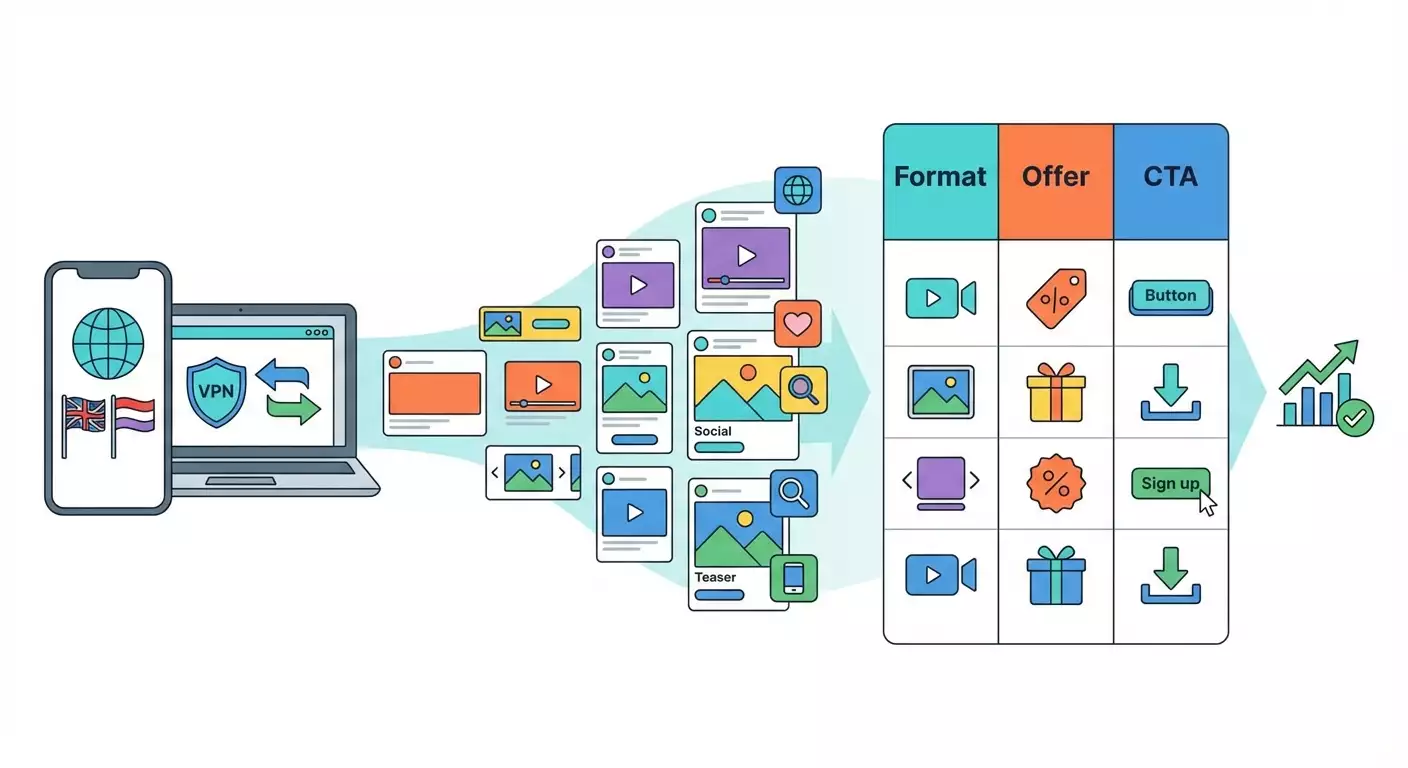
In this step-by-step playbook, you’ll learn how to review competitors’ ads across different regions using mobile proxies, official tools like Meta Ads Library, and popular ad spy services. We’ll go from zero to results: you’ll safely set up your environment, correctly switch location, view geo-targeted ads from competitors on Facebook and Instagram, in the VK feed, and in Yandex search results for a chosen region—then capture, categorize, and analyze their creatives. Along the way, you’ll learn how to avoid account checks, stay within platform rules, and build a repeatable competitive intelligence workflow. It’s a beginner-friendly guide with pro tips, written in plain English.
By the end, you’ll have a clear methodology, a ready-to-use mobile proxy setup, security checklists, a creative analysis template, and confidence that you’re seeing the ads real users see in the selected geo. We use only legal, publicly available ways to view ad materials and focus on ethical use.
Who this is for: marketers, media buyers, analysts, business owners, product managers—anyone who wants to understand how competitors advertise in different countries or cities and how to leverage that for growth.
What you should know: basic browser and smartphone skills. Understand that mobile proxies are a tool for validating hypotheses and testing ad visibility—not for bypassing laws or platform rules. We’ll follow fair-use principles and avoid creating fake identities.
Time required: 2–4 hours for your first run-through. Once you automate some routine steps, plan on 30–60 minutes per week for ongoing checks.
Preparation
Before looking at competitors’ ads from other regions, set up a safe environment so you don’t lose access to accounts or trigger security checks due to sudden, suspicious changes.
Tools, software, and access
- Computer (Windows, macOS, or Linux) and/or smartphone (iOS/Android).
- Chrome, Firefox, Safari, or Edge. Ideally have two browsers: primary and backup.
- A separate browser profile for research (so cookies and cache don’t mix with work accounts).
- Extensions: a User-Agent switcher, a WebRTC blocker, and an optional proxy manager.
- Access to Meta Ads Library, a VK account, and Yandex (to change region settings).
- A subscription or trial to one or two ad spy tools (e.g., for Meta and VK).
- An active mobile proxy with country/city selection, IP rotation, and sticky sessions.
System requirements
- Stable internet 20 Mbps+, ping under 100 ms.
- 10 GB free disk space for screenshots, CSV files, and video creatives.
- 8 GB RAM to run a browser, spy tool, and optional screen recording simultaneously.
What to download, install, and configure
- Create a new Chrome profile: Settings → You → Add. Name it “Research_GEO”.
- Install a User-Agent Switcher extension to emulate mobile devices.
- Install a WebRTC blocker to prevent real IP leaks via WebRTC.
- Set up a password manager (to store proxy credentials securely).
- Prepare a creative analysis sheet with columns: Brand, Offer, Format, Message, Visual, Call to Action, Geo, Start Date, Frequency, URL, Notes.
Tip: Create folders right away: “Raw_screenshots,” “Selected_cases,” “Sheets,” “Video_creatives.” This will save you minutes every analysis cycle.
Backups and safety
- Don’t use your main ad account for tests. Use a separate browser profile with no logins to sensitive services.
- Back up your browser setup: exporting bookmarks and an extension list is enough.
- Store all proxy credentials in a password manager. Do not share them with third parties.
⚠️ Warning: Rapid changes to IP, device, and region in the same social account may trigger security checks. Use separate profiles, temporary sessions, and avoid logging into personal accounts you rely on.
✅ Check: You now have a dedicated research browser profile, the right extensions installed, a creative analysis sheet ready, and a folder structure to organize assets.
Key concepts
Terms in plain English
- Geo — the targeting geography: country, region, city.
- Mobile proxies — internet access via 3G/4G/5G carrier IPs. Ads are often targeted to these IPs, so what you see can differ from desktop.
- Sticky session — your IP stays the same for a set time so platforms don’t flag instability.
- IP rotation — switching IPs on a timer or by button. Useful for seeing different audiences and preventing ad fatigue.
- User-Agent — your browser/device “passport.” Switch it to emulate a smartphone and receive mobile creatives.
- Ads Library — Meta’s official ad library to browse active ads by page, topic, and region.
- Ad spy tools — searchable ad catalogs with filters by platform, geo, dates, formats, and CTAs. They speed up discovery and comparison.
What to understand before you start
- You’re not “hacking” platforms. You’re using legal ways to view publicly available ads with a properly configured environment.
- Mobile proxies help you see what real users in a chosen region see. This is honest market research and display testing.
- Follow platform rules and local laws. Use your own data and don’t create fake identities.
⚠️ Warning: Platforms may limit data collection and automation. Avoid aggressive scraping and bulk queries. Work manually or within your spy tool’s allowed limits.
Step 1: Define goals and your competitor list
Goal: know which ads you want to find, for which geos, and by which brands/queries.
- Pick 1–2 target geos for the first cycle. Example: Poland and Kazakhstan.
- List 5–10 competitors for each geo—include both local and global players.
- Collect key queries users would search for your product. Example: “flower delivery Warsaw,” “English courses Almaty.”
- Decide which platforms matter most: Meta (FB/IG), VK, Yandex. Prioritize by market.
- Specify the formats you want: Stories, Reels, Feed, carousel, 15–30s video, YAN banners, etc.
- Set success metrics: at least 50 creatives per geo, 10–15 per competitor, 3–5 formats.
Tip: Write down hypotheses: “In Poland, UGC videos with subtitles win,” “In Almaty, putting price in the first frame boosts CTR.” You’ll validate these later.
✅ Check: You have a file with goals, two geos, a competitor list, key queries, priority platforms, and target collection numbers.
Potential issues and fixes: If you’re unsure about competitors, start in Ads Library with key queries to see who’s active in your niche. Add discovered brands to your list.
Step 2: Set up a safe environment for profiles and browser
Goal: separate work and research sessions to avoid blocks and data mix-ups.
- Create a new browser profile with no Google/Apple ID sign-in. Name it “GEO_Audit.”
- Enable “clear cache and cookies on exit.”
- Install a User-Agent Switcher. Create an “iPhone 14 Pro, iOS” preset. Add a second preset for “Android Chrome.”
- Install WebRTC Control and enable “Disable non-proxied UDP” to reduce IP leak risks.
- Turn off browser geolocation: Settings → Privacy → Site permissions → Location → Ask or Block.
- Prepare a proxy manager: use OS-level settings or an extension.
- Create a separate downloads folder for this profile and enable autosave to it.
Tip: Include the geo in profile and subfolder names to avoid mixing datasets, e.g., “PL_research,” “KZ_research.”
✅ Check: Your new profile is clean, logged out, with extensions installed; geolocation is disabled; autosave points to a separate folder; the User-Agent switches between iPhone and Android.
Potential issues and fixes: If sites render oddly after switching UA, revert to a mobile template from the extension’s official presets instead of custom UA strings.
Step 3: Connect mobile proxies and verify no leaks
Goal: properly configure a mobile proxy for your chosen region; confirm sites see the correct country/city and your real IP isn’t leaking via DNS/WebRTC.
Choose proxy parameters
- Type: HTTP(S) or SOCKS5. HTTP(S) is usually enough for browsers.
- Geo: country and, if possible, city. The more precise, the better for local ads.
- Sticky session: 15–30 minutes—enough to browse feeds and save creatives.
- Rotation: manual by button. Trigger when switching hypotheses or after 15–30 minutes.
- Auth: username/password or IP allowlist. For mobile, username/password is handy.
Desktop setup
- Windows: Start → Settings → Network & Internet → Proxy → Set up manually → Enter host and port → On → Enter username/password when prompted.
- macOS: System Settings → Network → Select connection → Details → Proxies → HTTP and HTTPS → Enter host, port, username/password → Apply.
- Browser extension: open your proxy manager → Add proxy → Enter host, port, username/password → Name it “PL_4G_CityX” → Save → Activate.
Smartphone setup (to view in-app feeds)
- iOS: Settings → Wi‑Fi → i → Configure Proxy → Manual → Enter server and port → Save. You’ll be prompted for username/password on first request.
- Android: Settings → Network & Internet → Wi‑Fi → Long-press the network → Modify → Advanced → Proxy: Manual → Enter host and port → Save.
Leak checks
- Open an IP-check website. Make sure country and city match your target geo.
- Check time zone and language on pages. For testing, switch your browser language to the local language of the geo.
- Verify WebRTC: the extension should show “Disabled” or “Leak protected.”
- Check DNS: if possible, use a resolver aligned with your proxy’s geo.
Tip: To blend in further, change your system language/region (e.g., PL, KZ) and add a local keyboard layout.
⚠️ Warning: Don’t log into personal social accounts when abruptly changing geos. It may trigger security checks. Use separate test profiles or stay logged out where possible.
✅ Check: Your IP and DNS match the target geo, WebRTC is blocked, and your browser language and time zone align with the region. Sticky session is active, rotation is manual.
Potential issues and fixes: If sites still detect your real region, make sure system geolocation is off and browser sync isn’t pulling old settings. Clear cookies/cache.
Step 4: Use Meta Ads Library to collect competitors’ ads
Goal: quickly gather first examples of active competitor ads for your geo without logging in or risking accounts.
- Open Meta Ads Library in your research browser profile.
- Choose the country in the location filter (e.g., Poland).
- Search by competitor brand or a key phrase (e.g., “flower delivery”).
- Filter by Facebook or Instagram and by ad type (all ads or social issues, etc.).
- Open the ad card. Review start date, delivery, placements, creative and copy variants.
- Save screenshots and links to your sheet: ad URL, date, platform, format, core elements.
- Repeat for all competitors and queries; collect at least 25–30 examples per geo.
Important: Ads Library may not show exact spend or impressions, but you’ll see active creatives, variants, and how long they’ve been running. Long-running ads often perform well.
Tip: Sort creatives by “longest running.” If an ad has run for 30+ days, it likely works. Tag these as “long-run.”
✅ Check: Your sheet has at least 25–30 creatives per geo with links, dates, and basics. You’ve spotted repeating formats and offers.
Potential issues and fixes: If an ad is unavailable, refresh, switch the country filter, or rotate IP. Some creatives are hidden due to local limits—try again later.
Step 5: See geo-targeted ads in Facebook and Instagram feeds
Goal: view what real users see in Feed and Stories, including retargeting chains.
Prep
- Enable a mobile User-Agent (iPhone or Android).
- Confirm your mobile proxy is active with a sticky session.
- Decide between web versions or the mobile app with device-level proxy. Web is enough to start.
- Open facebook.com in the research profile. Avoid logging into your personal account.
- Scroll slowly, watching for “Sponsored” labels. Open each ad in a new tab.
- Click “Why am I seeing this ad?” and capture targeting clues (when available): geo, interests, age.
- Take screenshots: first frame, copy, CTA, comments (if relevant). Save the ad URL.
- Repeat for 10–15 minutes. Then rotate IP, refresh the feed, and gather a second batch.
- Open instagram.com in mobile view or use a smartphone with the proxy configured.
- Browse Feed and Stories. Ads are labeled “Sponsored” (or local equivalent).
- Check Reels—formats and lengths often differ there.
- Record the link, advertiser handle, format, first-frame hook, on-video text, subtitles, and CTA.
- Rotate IP and repeat. Compare placements and brands.
Tip: Add a few “signals” to your profile: follow 1–2 local pages, like relevant posts, click through to a site from an ad. This nudges algorithms to show more relevant ads.
✅ Check: Your sheet includes 20–30 live examples from Facebook and Instagram in the target geo, including Stories/Reels. Where available, you captured “Why am I seeing this ad?” details.
Potential issues and fixes: If you see few ads, switch the interface language to the local one, add local interests via interactions, rotate IP, clear cookies, and try again during peak hours.
Step 6: Review competitors’ ads in VK for the chosen region
Goal: see promoted posts and banners in the VK feed to understand messages and formats shown to local audiences.
Region and feed setup
- Ensure your mobile proxy is active for the correct geo.
- Open VK on the web with a mobile User-Agent, or use the app on a proxied smartphone.
- In Settings or Privacy, check content city/country if available. Choose the target city.
- Open the News feed. Scroll for 10–15 minutes noting posts labeled “Advertisement.”
- Open each promoted post; record the community, copy, buttons, and destination URL. Take screenshots.
Keyword discovery
- Use VK search with your niche keywords.
- Look for results with ad labels and visit competitor communities.
- Open their posts. Note which ones are being boosted (often visible via higher recent engagement and comments).
Tip: Check recommendations and short videos. Ads there often differ from feed creatives and can inspire vertical formats.
✅ Check: You gathered 15–20 examples of promoted posts and banners from VK in the target geo, saved community and post links, and captured formats and CTAs.
Potential issues and fixes: If the feed shows few ads, rotate IP, try a different time of day, or follow niche groups so the algorithm learns your interests.
Step 7: Check local ads in Yandex (Search and YAN)
Goal: see which ads appear in Yandex Search and the Yandex Advertising Network (YAN) in your region.
Change region
- Open Yandex in your research profile with the mobile proxy active for the target geo.
- Find “Region” or “Regional settings” in Search settings and set the city/region you need.
- Save settings and refresh the search page.
Search ads review
- Enter key queries (e.g., “English courses Almaty,” “flower delivery Warsaw”).
- Check “Ad” blocks above and below organic results. Open them in new tabs.
- Capture headlines, sitelinks, extensions, USP, and landing page relevance to the query.
YAN review
- Visit popular local portals and media sites. YAN ads are marked as “Advertisement.”
- Evaluate banners, responsive formats, and copy. Save screenshots and destination URLs.
- Rotate IP and repeat checks on a second batch of sites.
Tip: Use several semantic groups: branded, generic commercial, and competitor queries. You’ll surface different creatives and landings.
✅ Check: Your sheet includes screenshots and details for 10–20 search ads and 10–15 YAN banners for the target geo, with landings and noted USPs.
Potential issues and fixes: If the region keeps resetting, old cookies may conflict. Clear site data, re-save regional settings, then refresh.
Step 8: Use ad spy tools to speed up creative discovery
Goal: quickly compile a large set of creatives with filters for platform, geo, format, launch date, and CTA.
- Log into your chosen spy tool from the research profile. Enable a mobile User-Agent if you want mobile formats.
- Filter by platform: Facebook/Instagram, VK, etc.
- Set geo: country and city (if supported). Add a language filter (e.g., Polish).
- Select a timeframe: last 7–30 days to surface fresh creatives.
- Filter by format: video, stories, carousel, static banners.
- Add CTA filters: “Buy,” “Learn more,” “Sign up,” etc., to understand funnel tone.
- Save results: export CSV, download creatives, and add links to your sheet tagged “SPY.”
Important: Spy tools surface lots of creatives but may not show reliable performance metrics. Apply logic: duration in delivery, number of variants, frequency of updates, and presence of localization elements.
Tip: Create three libraries inside the tool: “Market leaders” for top creatives, “Tests” for fresh ideas, and “Archive” for periodic reviews. This speeds up future cycles.
✅ Check: You’ve added 50–100 more creatives per geo from the spy tool with basic metadata, and flagged 10–15 strong ads in “Market leaders.”
Potential issues and fixes: If geo filters are noisy, narrow by language, add brand keywords, and manually verify landing pages for localization.
Step 9: Analyze competitors’ creatives and package your findings
Goal: turn scattered ads into clear insights: which offers, formats, messages, and visuals work in this geo.
Structured analysis
- Group creatives by brand, then by format (Stories/Reels/Feed/Video/Banner).
- For each creative, fill the sheet: offer, visual, first-frame hook, length, subtitles, local elements (currency, language, local phone), CTA.
- Mark localization tactics: local reviews, humor, holidays, currency and payment options.
- Identify long-running creatives and find common threads: format, length, color palette, offer type.
- Map to funnel stages: awareness, consideration, conversion. Align messages accordingly.
Shaping your own test ideas
- Create 10 hypotheses: combinations of format+offer+message to adapt per geo.
- Plan 3–5 quick tests. Example: short UGC with subtitles and price in the first second.
- Build a localization checklist: language, currency, delivery terms, payment methods, legal notes.
- Prepare an A/B structure: change one primary component per test—hook, offer, or visual.
Tip: Don’t copy ideas outright. Adapt to your brand, language, and positioning. Note what you “borrowed” versus what you improved.
✅ Check: Your sheet covers 80–150 creatives, highlights 10–15 strong patterns, and lists hypotheses for producing localized ads.
Potential issues and fixes: If you’re overwhelmed, rank first by run duration, then format (video vs. static), then clear localization cues—this quickly cuts noise.
Validate your results
Checklist
- Safe environment created and isolated from work accounts.
- Mobile proxy stable with no WebRTC/DNS leaks.
- Ads Library collected 25–30 creatives per geo.
- Facebook/Instagram feeds yielded 20–30 ads, with “Why am I seeing this ad?” notes where available.
- VK delivered 15–20 promoted cases with links and screenshots.
- Yandex showed 10–20 search ads and 10–15 YAN banners.
- Spy tools added 50–100 creatives filtered by geo and format.
- Analysis sheet completed, hypotheses drafted.
How to test
- Repeat feed browsing after 24 hours with a fresh sticky session. Check if brands and offers recur.
- Run the same process from another country/city. Confirm the method is reproducible.
- Ask a teammate to follow your checklist. If they get similar results, your process works.
Success indicators
- Collected 100–200 creatives per geo in 2–4 hours.
- Extracted 10–15 clear insights on messages and formats that work in-region.
- Drafted 10 hypotheses for your tests.
Common mistakes and fixes
- Issue: Platforms show content from the wrong region. Cause: WebRTC/DNS leaks or mismatched language/time zone. Fix: Disable WebRTC, align DNS, sync language and time zone, clear cookies.
- Issue: No ads in the feed. Cause: Algorithm lacks interest signals. Fix: Like relevant pages, follow local communities, click a few ads.
- Issue: Login checks when IP changes. Cause: Abrupt geo switch in a personal account. Fix: Don’t use personal accounts; stay logged out or use a separate test profile.
- Issue: Spy tool shows off-geo “noise.” Cause: Filters too broad. Fix: Add language and brand keywords, tighten date range, filter by platform/format.
- Issue: Too many creatives to analyze. Cause: No scoring system. Fix: Score by run duration, localization, format, offer strength, CTA. Keep the top 20%.
- Issue: Creatives won’t download. Cause: Content blocked in iframe. Fix: Use native save, screen record videos, and store post URLs.
- Issue: IP rotates too often; sites get suspicious. Cause: Timer too short. Fix: Increase sticky session to 15–30 minutes and reduce refreshes.
Additional opportunities
Advanced settings
- Use multiple mobile proxies in one geo to view feeds in parallel with different “interest profiles.”
- Create three User-Agent presets: iOS, Android, tablet. Compare placements and formats.
- Maintain a local trigger glossary: holidays, memes, key numbers, legal markers.
Process optimization
- File naming template: GEO_Brand_Format_Date_Key.
- Automate exports from spy tools to CSV and semi-automate sheet population with an importer.
- Weekly audit slots: same time and sequence for comparability.
What else to do
- Compare creatives with local landings: language, currency, UTM tags—does everything match the geo?
- Extend analysis to the user journey: post-click pages and on-landing offers.
- Build a library of best first frames and CTAs by region to speed up your ad production.
Tip: Follow the “3x3” rule: for each hypothesis, make 3 creatives and allow 3 iterations of improvements. It keeps momentum without endless polishing.
FAQ
- How can I review competitor ads without risking my personal accounts? Stay logged out where possible, use a separate browser profile, mobile proxy, and disable geolocation.
- Do I always need a mobile User-Agent? If you want mobile formats and Stories—yes. Otherwise, you may miss relevant placements.
- How do I know a creative works? Signals: long run time, multiple variants, repeat versions with minor tweaks, active comments.
- What if a spy tool shows too few ads? Expand the date range, relax filters, add more keywords and brands, and test neighboring geos.
- Can I review ads inside apps? Yes, if the device proxy is configured. Avoid logging into important personal accounts.
- Should I copy competitor creatives? No. Adapt ideas to your brand and local context. Copying is unethical and often violates platform rules.
- Why do ads “disappear” sometimes? Creatives get paused, geos change, budgets shift. Try again later with a different IP.
- How should I store results? A single catalog with geo/brand folders, a metadata sheet, and a naming convention. Keep backups.
- Do I need to change my time zone? It’s recommended. It improves environment consistency and reduces platform friction.
Conclusion
You’ve completed the full cycle: prepared your environment, configured a mobile proxy, protected against leaks, collected creatives via Ads Library, Facebook and Instagram feeds, VK and Yandex, added volume with spy tools, and structured results in a sheet. You now have a clear, repeatable process to review competitor ads across regions.
What’s next: turn insights into hypotheses, produce 3–5 localized creatives, test them in your campaigns, measure results, and return to analysis. Expand geos, add new spy tools, and compare seasonality and local occasions.
Where to grow from here: automate collection and tagging in your sheets, build a “pattern library,” involve production teams and local consultants for nuanced adaptation. Always follow platform rules and laws—this is the foundation of stable, effective work.
Tip: Document your process and update it quarterly. You’ll build a company standard for competitive intelligence that stays solid even as tools change.